Emma Larsson
VPS Technical LeadEmma Larsson is a lead systems developer and virtualization specialist with a decade of expertise in kernel configurations and hypervisor scaling.

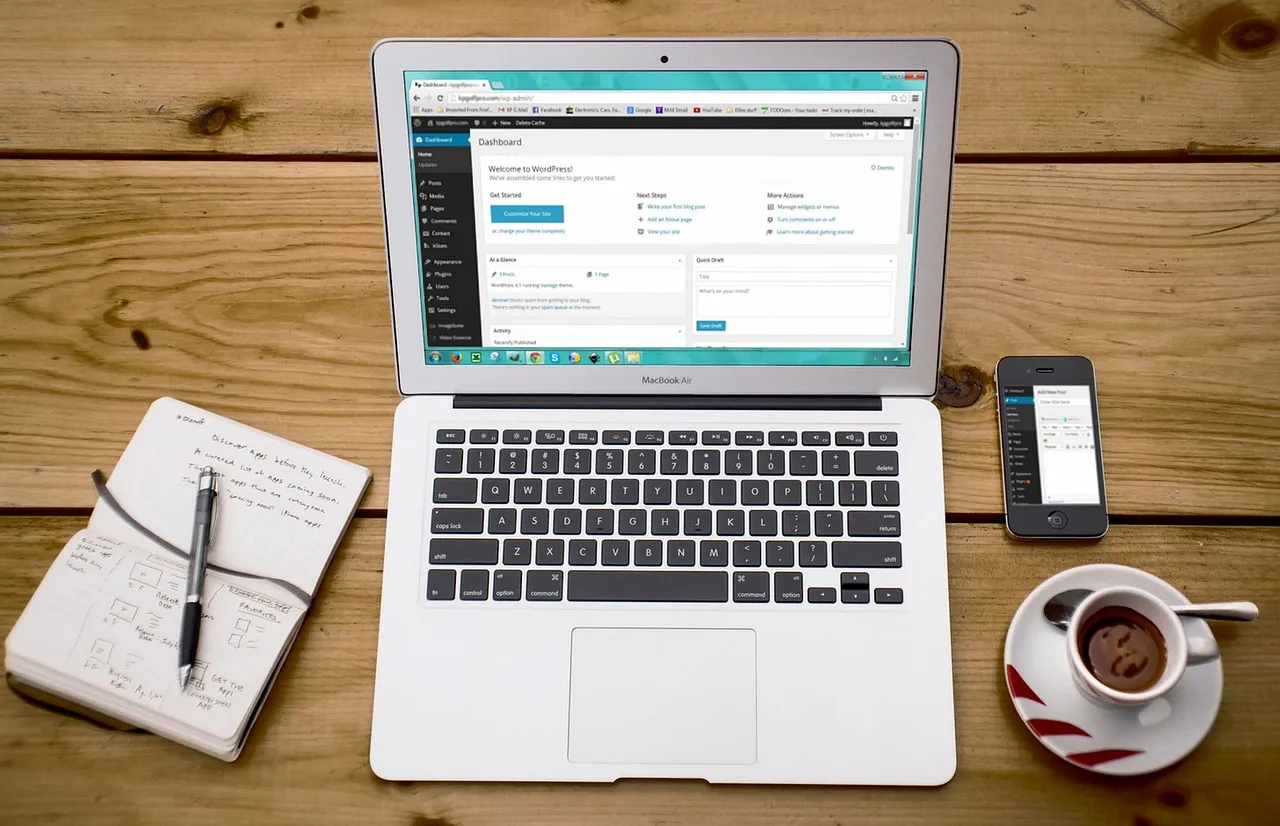
The allure of a free website builder is undeniable. You get a live, published website without opening your wallet — at least on day one. For hobbyists, students, and anyone testing a business idea, that zero-cost entry point feels like a risk-free way to stake a claim online. But as the web hosting landscape has matured through 2026, the definition of "free" has quietly shifted, and the trade-offs embedded in those free plans are more consequential than most users realize. Understanding what you're actually giving up is the difference between a smart start and a costly do-over six months down the road.
The best free website builder options in 2026 include familiar names like Wix Free, Weebly Free, Google Sites, WordPress.com Free, Webflow Free, and Carrd. Each platform has carved out a distinct niche, from Wix's drag-and-drop flexibility to Carrd's laser focus on single-page sites. On the surface, they all deliver the same core promise: a functional website at no cost. Beneath that surface, however, the compromises diverge sharply — some platforms cap your storage at 500 MB, others plaster third-party advertisements across every page, and nearly all of them restrict the one asset that matters most for long-term growth: a custom domain name.
Before we unpack the specific limitations of each platform, it's worth stepping back and understanding why free website builders operate the way they do. These are not charitable enterprises. Every free plan is a carefully engineered funnel designed to convert you into a paying customer, often after you've invested weeks of effort building a site you can't easily export. The forced subdomain branding (yoursite.wixsite.com, for example) serves double duty as both a limitation for you and free advertising for the platform. The ads you can't remove generate revenue while simultaneously degrading the professional credibility of your site — a subtle nudge toward the paid tier where those ads disappear.
This article examines each major free website builder in detail, quantifies what their free plans actually deliver in 2026, and draws a clear line between scenarios where free is genuinely sufficient and situations where it becomes a liability. We'll also compare the free-builder path against an alternative that many beginners overlook: cheap shared hosting paired with self-hosted WordPress, which often costs less per year than upgrading to a builder's mid-tier plan and eliminates nearly every limitation discussed here. Throughout, we reference concrete data points — storage caps, bandwidth ceilings, uptime guarantees, and renewal pricing — so you can make a decision rooted in numbers rather than marketing.
Six platforms dominate the free website builder conversation in 2026, and each approaches the "free" proposition from a fundamentally different angle. Some prioritize ease of use at the expense of ownership; others offer surprising creative control but restrict distribution. Choosing among them without understanding their underlying philosophies is a recipe for frustration. Below we examine each platform's free tier as it actually operates today — not as it was marketed three years ago — with attention to the specific mechanics that will either support or sabotage your project over time.
Wix remains the most visible name in the site builder space, and its free plan is the most aggressively marketed entry point in the industry. The free tier gives you access to Wix's full drag-and-drop editor and a respectable selection of templates, which means the building experience itself feels premium even when your wallet stays closed. You get 500 MB of storage and 500 MB of bandwidth, which is adequate for a small portfolio or a local club site that doesn't expect heavy traffic. The editor is genuinely intuitive — arguably the smoothest among free builders — and the template library is deep enough that most users can find a starting point that matches their aesthetic goals without needing to hire a designer.
The catch, and it's a significant one, is that Wix free sites are unmistakably branded as free sites. Your URL will read yourusername.wixsite.com/sitename, and Wix displays prominent ads on every page — ads you cannot remove or control. These aren't subtle footer links; they're sticky banners and corner badges that signal "amateur" to anyone who lands on your page. More critically, Wix free sites cannot connect a custom domain, cannot sell products, and cannot be transferred to another platform. If you later decide to move to a self-hosted solution — perhaps after learning about WordPress hosting requirements — you will be rebuilding from scratch because Wix offers no export path for your site's content or design. The builder's proprietary architecture means your site lives inside Wix's ecosystem permanently, which is the single most important constraint to understand before investing time in the free tier.
Weebly, now owned by Square, occupies a slightly different position in the free-builder landscape. Its free plan is less restrictive than Wix's in some dimensions — you get 500 MB of storage and the editor is clean and approachable — but more restrictive in others that may matter more to a growing project. Weebly's drag-and-drop interface is simpler than Wix's, which makes it friendlier for absolute beginners but less satisfying for anyone who wants pixel-level design control. The template selection is smaller and, frankly, looks dated compared to what Wix and Webflow offer in 2026, though the templates are functional and mobile-responsive out of the box.
Weebly free sites carry the Square branding in the footer, and like Wix, you're stuck with a weebly.com subdomain. E-commerce functionality is available even on the free plan — a notable differentiator — but with a 3% transaction fee levied by Square on every sale. That fee can erase your margins on low-priced products and makes the free tier impractical for anyone serious about online selling. The platform does allow some degree of content export, which is better than Wix's total lock-in, but the export is limited to blog posts and pages as raw data; your design and layout won't survive the transition. Weebly's free tier is best understood as a Square product demo — it shows you the e-commerce tooling but charges you as soon as you start using it in earnest.
Google Sites is the outlier in this group, and in several respects it's the most honest free website builder available in 2026. There are no ads, no platform branding on your published site, and no upsell pressure — Google Sites is genuinely free because it serves Google's broader ecosystem strategy rather than a direct conversion funnel. You get unlimited storage (tied to your Google Drive quota) and can embed Google Docs, Sheets, Slides, and YouTube videos natively. The interface is collaborative, allowing multiple editors to work on the same site simultaneously, which makes it surprisingly effective for internal team wikis, project documentation hubs, and classroom resources.
The trade-off is creativity. Google Sites offers a tiny handful of templates and almost no design flexibility beyond choosing colors and fonts. You cannot access the HTML or CSS, you cannot install plugins, and the resulting sites look unmistakably like Google Sites — functional but visually generic. For a personal brand or a business, this limitation is often fatal; you simply cannot build a site that differentiates you from anyone else using the same tool. Google Sites also lacks e-commerce features, blogging functionality beyond basic announcements, and any meaningful SEO controls beyond page titles and descriptions. It is, however, the only free builder where you can connect a custom domain without paying the builder itself — you'll need to purchase a domain separately through a registrar like Google Domains or any third-party provider, but once connected, the site operates without forced branding. For simple project sites where utility trumps aesthetics, Google Sites is surprisingly capable and avoids the bait-and-switch dynamic that defines most commercial free builders.
WordPress.com's free plan occupies an uneasy middle ground between the open-source ethos of WordPress.org and the commercial reality of Automattic's hosted platform. You get 1 GB of storage — double what Wix and Weebly offer — and access to the core WordPress editor with a restricted set of themes. The content management experience is familiar to anyone who has used self-hosted WordPress, which means your writing workflow, category organization, and basic page structure will transfer cleanly if you later migrate to a self-hosted installation. This alone makes WordPress.com Free a better launchpad for serious content creators than the proprietary builders, because your content isn't trapped in a closed ecosystem.
The restrictions are significant: you cannot install plugins, you cannot upload custom themes, and WordPress.com places its own ads on your site — ads over which you have no control and from which you earn no revenue. Your URL will be yoursite.wordpress.com, and while you can purchase a custom domain upgrade without moving to a full paid plan, doing so still leaves you without plugin access and with limited theme choices. The platform's connection to the broader WordPress ecosystem is both its greatest strength and its most confusing aspect for newcomers; as explained in the WordPress.org about page, the self-hosted WordPress software is free and open-source, while WordPress.com is a commercial hosting service built on that software. Understanding this distinction — which we explore further in our WordPress vs Wix vs Squarespace comparison — is essential before committing to either path.
Webflow's free plan is targeted at a fundamentally different user than the other builders on this list. It's not designed for someone who wants a quick website; it's designed for designers and developers who want granular control over responsive layouts, interactions, and CSS properties without writing code from scratch. The free tier gives you access to Webflow's full visual design engine — the same tool that paid customers use — along with 50 CMS items, 1 GB of bandwidth, and two static pages. That page limit is severe: two pages means a home page and one additional page, which rules out blogging, portfolios with project subpages, or any site that needs a navigational structure beyond a single scroll.
You'll publish to a webflow.io subdomain with Webflow branding in the footer, and you cannot connect a custom domain without upgrading to a paid site plan. The 1 GB bandwidth cap is also worth examining closely — it's generous for a text-heavy site with optimized images, but a single high-resolution portfolio image or an embedded video background can consume a meaningful fraction of that monthly allowance. Webflow's free tier is best understood as an indefinite trial of the design tool rather than a viable hosting solution. It serves its purpose brilliantly for designers who want to build portfolio pieces they'll later export and host elsewhere, but for anyone wanting a live, publicly useful website, the page and bandwidth restrictions push you toward a paid plan almost immediately. Our deep dive into Squarespace vs WordPress design flexibility examines how these design-first platforms compare to open-source alternatives in terms of creative control.
Carrd is the most focused tool in this group, and that focus is precisely what makes its free tier viable for a specific set of use cases. Carrd builds exactly one type of site: a single-page, scrollable landing page. The free plan gives you up to three sites per account, each published to a .carrd.co subdomain, with access to a curated set of responsive templates and a surprisingly capable visual editor. There are no Carrd ads on your free site, and the templates are modern, clean, and perform well on mobile — a reflection of Carrd's design-forward ethos and the fact that its paid plans start at just $9 per year, making the upsell gentle rather than coercive.
The limitations are intrinsic to the product concept: you cannot create multi-page websites, there is no blogging functionality, no e-commerce, and form submissions are capped at 100 per month on the free tier. For a personal landing page, a conference microsite, a "link in bio" page, or a simple coming-soon announcement, these constraints are irrelevant — Carrd does exactly what you need and does it well. For anything that requires a navigation menu, a blog, or product listings, Carrd is structurally incapable of meeting your needs regardless of which plan you choose. Among free builders, Carrd is uniquely honest about what it is and what it isn't, and that clarity makes it one of the best free website builder options for projects that fit its narrow scope.
Every free website builder showcases its strengths on the pricing page: templates, drag-and-drop editing, mobile responsiveness. The limitations, by contrast, are buried in help center articles, terms of service footnotes, and the fine print of feature comparison tables. Below we catalog the seven most consequential hidden costs of free website builders — the constraints that will shape your experience far more than the template gallery ever will — so you can evaluate each platform with eyes wide open.
Every major free website builder except Google Sites forces you to publish under their domain. Your URL will contain wixsite.com, weebly.com, wordpress.com, webflow.io, or carrd.co. This matters far more than most beginners assume. A branded subdomain signals to every visitor — including potential clients, employers, and collaborators — that you are operating on a free tier, which undermines the professional credibility that a website is supposed to build. It also makes your URL harder to remember, harder to share verbally, and entirely dependent on the platform's continued existence; if Wix were to shut down or change its subdomain structure, your site's URL would break and every link pointing to it would go dead overnight.
Search engines treat subdomains as distinct entities from root domains, which means any authority or backlinks you accumulate under yoursite.wixsite.com belong to Wix's domain structure, not to a domain you own. If you later move to a custom domain, you start from zero in terms of domain authority, and the ranking progress you made on the subdomain does not transfer. This is perhaps the single most overlooked cost of building on a free subdomain: you're investing SEO equity into an asset you don't own, and that investment evaporates the moment you migrate. A custom domain costs roughly $10-15 per year and is one of the cheapest investments you can make in your site's long-term independence; free builders prevent you from using one specifically because they want that SEO equity for themselves.
Wix Free and WordPress.com Free both display advertisements on your site, and in neither case do you have any say over what those ads promote, where they appear, or how they look. Wix places sticky banner ads and a Wix-branded footer badge; WordPress.com injects ads into your content and sidebar areas through its WordAds program. These ads generate revenue for the platform, not for you, and they fundamentally alter how visitors perceive your site. A portfolio displaying ads for unrelated products reads as amateur; a business site with third-party banners undermines trust; a nonprofit or community organization with unvetted advertisements can actually damage its mission if the wrong ad appears on the wrong page.
Weebly Free and Webflow Free take a softer approach, limiting branding to footer links rather than full advertisements, but the effect on professional presentation is similar. Only Google Sites and Carrd publish free sites with no platform branding or advertisements whatsoever. This distinction alone can make Google Sites or Carrd the better choice for projects where maintaining a clean, professional appearance on a zero-dollar budget is non-negotiable. If you're comfortable with the basics of web hosting, you'll quickly realize that even the cheapest shared hosting plan lets you publish an ad-free site on your own domain — a trade-off worth understanding before you commit months of content creation to a platform that will brand your work without your consent.
Storage limits on free plans range from Carrd's effectively unlimited-but-irrelevant cap (single-page sites use minimal storage) to Wix and Weebly's 500 MB, to WordPress.com's 1 GB. Five hundred megabytes sounds generous until you account for modern image sizes, where a single high-resolution uncompressed photo can exceed 5 MB and a short background video can consume 50 MB. A modest portfolio with 20 images, a few PDF downloads, and some embedded media can approach the 500 MB ceiling faster than you'd expect. Once you hit the cap, you cannot upload new content without deleting existing files — a painful trade-off on a site that's supposed to grow over time.
Google Sites is the exception here, with storage tied to your Google Drive quota (15 GB free across all Google services). For media-heavy projects, this is a decisive advantage that no other free builder can match. WordPress.com's 1 GB is serviceable for text-focused blogs and small business sites, but the inability to install image optimization plugins on the free plan means you're managing storage manually with no automated compression tools. Storage caps are rarely the first limitation new users encounter, but they become a persistent friction point as a site matures, and upgrading a storage-only limitation often requires moving to a plan tier that bundles features you may not need.
Bandwidth governs how much data can be transferred from your site to visitors each month. Wix Free caps at 500 MB of bandwidth — roughly 5,000 page views of a lightweight page, but potentially fewer than 1,000 views if your pages include images. Webflow Free provides 1 GB, which is more generous but still constraining for any site experiencing even modest viral traffic. Weebly Free imposes no published bandwidth cap, which sounds appealing, but their terms of service reserve the right to throttle or suspend sites that consume "excessive" resources — a fuzzy standard that leaves you without a clear ceiling to plan around.
Bandwidth limits become acutely relevant when a page performs unexpectedly well. A single post shared on social media or picked up by a newsletter can drive thousands of visits in a few hours, and a 500 MB bandwidth cap can be exhausted in a morning. When that happens on a free plan, your site doesn't gracefully degrade — it goes offline for the remainder of the billing cycle, displaying an error page to every subsequent visitor. That lost traffic represents lost opportunities, lost backlinks, and lost momentum that no amount of retrospective upgrading can recover. If there's even a remote possibility that your project could attract attention, building on a plan with a hard bandwidth ceiling is a gamble with unacceptably high stakes.
The inability to connect a custom domain is the single most professionally damaging limitation of free website builders. A custom domain — yourname.com rather than yourname.wixsite.com — is the foundation of a recognizable online identity. It tells visitors, search engines, and potential collaborators that you are serious enough to invest in your own corner of the web. Free builders withhold custom domain support not because the technology is expensive (it costs them nearly nothing to allow CNAME records pointing to their servers) but because the subdomain lock-in is the primary motivator for paid plan upgrades. They know that once you've built a site you're proud of, the desire to put it on a real domain becomes nearly irresistible.
Google Sites is the notable exception: you can connect a third-party custom domain to a Google Sites free site at no cost, though you must purchase the domain separately. This capability makes Google Sites the only free builder that can produce a genuinely professional-looking, ad-free website on a custom domain for the cost of the domain registration alone — roughly $12 per year. Every other platform requires a paid plan upgrade to unlock custom domain support, and those upgrades typically start at $4-6 per month for the cheapest tier that includes the feature. Over a year, that's $48-72 just to use your own domain — more than the cost of a full year of entry-level shared hosting that would give you unlimited everything.
Selling products or services through a free website builder is either impossible or financially impractical. Wix Free and Google Sites offer no e-commerce functionality whatsoever — you cannot list products, accept payments, or manage orders. WordPress.com Free has no e-commerce features and cannot install WooCommerce or any other store plugin. Carrd doesn't support product listings or a shopping cart by design. Weebly Free technically allows e-commerce through Square, but the 3% transaction fee on every sale combined with the subdomain URL and Square footer branding makes it unsuitable for any seller who cares about margins or brand perception.
Webflow Free allows you to build e-commerce designs in the editor, but you cannot publish them to a live site without upgrading to an e-commerce plan. This pattern — let you build it, then charge you to launch it — is common across free builders and reflects the deliberate distinction between the builder tool and the hosting service. If you plan to sell anything online, even a single digital download, a free website builder is not the right starting point. The transaction fees, missing features, and unprofessional presentation will cost you more in lost sales and damaged credibility than a paid solution ever would.
Search engine optimization on free website builders ranges from limited to nonexistent. Google Sites lets you set page titles and meta descriptions but offers no control over URL structure, no schema markup, and no ability to edit robots.txt or generate XML sitemaps. Wix Free provides basic SEO settings but publishes under the wixsite.com subdomain, which dilutes any ranking efforts because your pages compete for authority within Wix's sprawling domain rather than standing as an independent site. WordPress.com Free strips away the SEO plugin ecosystem that makes self-hosted WordPress so powerful — no Yoast, no Rank Math, no ability to fine-tune your on-page optimization.
Webflow Free offers the most sophisticated SEO controls among free builders, including editable meta tags, Open Graph settings, and clean semantic HTML output, but those controls are attached to a webflow.io subdomain that no serious SEO strategy should target. The consistent pattern across free builders is that SEO features are either gated behind paid plans or rendered meaningless by the subdomain structure they force you to use. If search traffic matters to your project — and for most websites, it does — a free builder's SEO constraints alone justify the cost of a self-hosted alternative where you control every ranking variable without restriction.
The table below distills the key free-plan specifications for each builder into a single reference view. Use it to compare storage, bandwidth, branding, and critical feature availability at a glance. Keep in mind that these specifications reflect the free tier as of mid-2026 and are subject to change; always verify the current terms on each platform's pricing page before committing your project.
| Feature | Wix Free | Weebly Free | Google Sites | WordPress.com Free | Webflow Free | Carrd Free |
|---|---|---|---|---|---|---|
| Storage | 500 MB | 500 MB | 15 GB (Google Drive) | 1 GB | Unlimited (static) | Unlimited (single page) |
| Bandwidth | 500 MB / month | Unlimited* | Unlimited | Unlimited | 1 GB / month | Unlimited |
| Custom Domain | No | No | Yes (own purchase) | No (upgrade available) | No | No (pro upgrade) |
| Ads / Branding | Sticky ads + badge | Footer link | None | WordAds injected | Footer branding | None |
| E-Commerce | No | Yes (3% Square fee) | No | No | Editor only (no publish) | No |
| SEO Controls | Basic | Basic | Minimal | Basic | Full (on subdomain) | Minimal |
| Site Export | None | Content only | None | Content export | Code export (limited) | None |
| Site Pages | Unlimited | Unlimited | Unlimited | Unlimited | 2 pages | 1 page |
| Support | Community forum | Chat + email | Help center | Community forum | Community forum |
*Weebly reserves the right to throttle or suspend sites with "excessive" resource usage at its sole discretion, despite not publishing a hard bandwidth cap. This flexible enforcement means your site could be restricted without warning, and the threshold for what constitutes excessive usage is not publicly defined. It's a form of bandwidth limitation that is harder to plan around than a published number because you cannot monitor your usage against a known ceiling.
Despite the limitations cataloged above, free website builders are not universally a bad choice. There are scenarios where the constraints either don't matter or are outweighed by the simplicity and zero-cost entry. The key is being honest about which category your project falls into before you invest the time to build, because the gap between "free is fine" and "free is a mistake" is narrower than most people assume. Below are the situations where a free builder makes practical sense in 2026.
If you're a student, a recent graduate, or a career-changer who needs an online portfolio to supplement job applications, a free builder can work — but only if you choose the right one. Carrd's single-page format is actually ideal for a concise personal landing page with a bio, a few work samples, and contact information, and the absence of platform branding means your page looks polished and intentional. Google Sites works for a more structured portfolio with multiple project pages, especially if you're primarily embedding Google Drive documents and presentations. The catch is the subdomain: a .carrd.co or sites.google.com URL on a resume signals cost-cutting, which may not send the message you want in competitive fields. If the portfolio is a supplement to an otherwise strong application — not the primary differentiator — a free builder is a reasonable starting point that you can upgrade later when your budget allows.
Local sports teams, book clubs, volunteer groups, and hobbyist communities rarely need custom domains, e-commerce, or sophisticated SEO. Their audience is known and reached through email, social media, or word of mouth, not through organic search. For these groups, a Google Sites page with meeting schedules, photo galleries, and embedded calendars is often more functional than a complex WordPress installation that requires ongoing maintenance. The collaborative editing feature in Google Sites is particularly valuable for volunteer organizations where multiple members need to update content without learning a new platform. In these contexts, the professionalism of the URL is irrelevant because the site's purpose is utility, not branding, and the zero-cost, zero-maintenance nature of the solution aligns perfectly with a volunteer organization's priorities.
A wedding website, a conference landing page, a fundraising campaign microsite, or a product launch teaser page all share one defining characteristic: they have an expiration date. These sites live for weeks or months, not years, and spending money on hosting and a domain for a temporary asset is often wasteful. Carrd is the standout choice here — a single, beautifully designed page that can be set up in an afternoon and will outlive its purpose without ever incurring a cost. For multi-page event sites with schedules, speaker bios, and venue information, Google Sites provides the necessary structure without ads or branding. In both cases, the temporary nature of the project means the SEO and domain authority drawbacks are moot; you're not building long-term equity, you're solving a short-term communication need.
Free website builders cross the line from "good enough" to "actively harmful" at a specific threshold: when your website represents a business, a professional identity, or any endeavor where how you're perceived directly affects your outcomes. In these situations, the limitations of free plans are not minor inconveniences — they are fundamental obstacles that undermine the very purpose of having a website. Understanding exactly where that line sits will save you from the expensive realization that you've built something on a foundation that can't support its intended weight.
A business website that lives on a .wixsite.com or .wordpress.com subdomain with platform advertisements does not inspire confidence. Customers who see sticky Wix banners on a site that's asking for their credit card information will reasonably question whether the business is legitimate. Beyond the trust deficit, free builders' e-commerce limitations make selling impossible or unprofitable — Wix Free cannot sell at all, Weebly Free takes 3% of every transaction, and the others lack store functionality entirely. Even a simple service business that only needs a contact form and a portfolio is undermined by the subdomain, which signals "side project" rather than "operating business." At Hosting Captain, we consistently advise business owners that the cost of a paid plan — typically $4-16 per month for a builder's entry tier, or $3-8 per month for shared hosting with WordPress — is among the smallest line items in a business budget but one of the highest-impact investments in credibility.
If you plan to publish articles, build an audience, and earn traffic from search engines, a free builder is the wrong tool. The subdomain structure means every backlink you earn builds authority for the platform, not for a domain you control. The limited SEO controls prevent you from optimizing your content for the keywords you're targeting. The storage caps become binding as your archive grows, and the bandwidth limits can take your site offline at the worst possible moment — when a post is gaining traction. A self-hosted WordPress site with a quality theme eliminates all of these constraints for roughly the annual cost of a dinner for two. The path from hobby blog to income-generating content site is hard enough without handicapping yourself with a platform that wasn't designed to support growth.
Designers, developers, writers, photographers, and consultants in competitive fields are evaluated on their attention to detail. A portfolio on a free subdomain with platform branding communicates either a lack of resources or a lack of care — neither of which attracts clients willing to pay premium rates. A custom domain costs $10-15 per year, and a basic hosted portfolio can be built on Carrd Pro ($19/year) or a shared WordPress host ($36-60/year). If a single client engagement is worth hundreds or thousands of dollars, the cost of presenting yourself professionally rounds to zero. The free builder's appeal — saving $50 a year — evaporates the moment a potential client clicks away because your URL doesn't match the quality of your work.
The most overlooked cost of building on a free website builder is not the storage caps, the ads, or the subdomain — it's the difficulty of leaving. Every minute you invest in designing pages, writing content, optimizing layouts, and building navigation within a proprietary builder creates an exit barrier that makes migration harder than starting fresh. This is not an accident; it's a deliberate retention strategy that platform companies call "stickiness" and that users experience as lock-in. Understanding the migration path before you start building is as important as understanding the feature set.
Wix offers no export capability whatsoever — not for content, not for design, not for media files. If you build a 50-page Wix site and later decide you need a custom domain with full SEO control, your only option is to manually copy and paste every page's content into a new platform and rebuild the design from scratch. Weebly allows you to export blog posts and page content as raw text, but your layouts, theme, and media file organization are lost. Webflow provides the most generous export path, allowing you to download your site's HTML, CSS, and JavaScript — but only for static pages and only if your plan includes the export feature (the free tier's export is limited). WordPress.com Free lets you export your content via the standard WordPress XML format, which is the most portable option and the reason WordPress.com is the safest free builder for content-first projects. Google Sites and Carrd offer no export paths; your content lives inside their systems permanently.
The rebuild cost — the time required to recreate what you've already built on a new platform — scales with the complexity of your site. A simple five-page brochure site might take a weekend to rebuild on WordPress. A content-rich blog with 100 posts, custom layouts, and embedded media could take weeks. When you factor in the lost search rankings during a platform migration, the lost momentum while your new site re-indexes, and the redirect chains you'll need to manage for any existing backlinks, the true cost of migration can easily exceed a year or more of paid hosting. Starting on a platform that offers a clean export path — or better yet, starting on a self-hosted solution from day one — is the single most important decision you can make to protect the time you invest in your site. For a comprehensive look at how different platforms handle migrations and what each path actually costs in time and money, see our WordPress vs Wix vs Squarespace comparison, which covers the migration experience in detail across all major builders.
There is a path that costs roughly the same as a builder's entry-level paid plan but eliminates every limitation discussed in this article: cheap shared hosting paired with a self-hosted WordPress installation. This comparison is not theoretical — it's the result of evaluating actual pricing across providers who compete in the entry-level hosting space — and it consistently reveals that the builder's "free" plan is an expensive way to start if your project is meant to grow beyond a hobby.
A typical shared hosting plan costs $3-8 per month on a promotional first term, which translates to $36-96 per year. A custom domain adds $10-15 annually. Total annual cost for a self-hosted WordPress site with a custom domain: $46-111 in the first year. Compare this to upgrading from a free builder to a plan that supports a custom domain: Wix's Combo plan ($16/month = $192/year), Weebly's Personal plan ($10/month = $120/year), or WordPress.com's Personal plan ($4/month billed yearly = $48/year — but still without plugin support). Even the cheapest paid builder plan that unlocks a custom domain costs more than self-hosted WordPress once you account for the fact that shared hosting includes unlimited storage, unlimited bandwidth, and full plugin and theme support. The builder upcharge for custom domain access alone is, in many cases, higher than the entire cost of a self-hosted alternative that provides dramatically more capability.
A self-hosted WordPress site on even the cheapest shared hosting plan gives you: your own custom domain from day one, no platform branding or forced advertisements, unlimited pages and posts, access to 60,000+ free plugins (SEO, caching, forms, e-commerce through WooCommerce, security, backups, and more), thousands of free and premium themes you can fully customize, complete SEO control including XML sitemaps, schema markup, and robots.txt configuration, full data portability — your content, theme, and settings can be exported and moved to any WordPress host at any time, and no storage or bandwidth caps beyond the host's fair-use policy, which is typically generous enough to accommodate sites with tens of thousands of monthly visitors.
A paid builder plan — even Wix's $16/month Combo tier or Weebly's $10/month Personal tier — still imposes thematic restrictions (you cannot switch to a template outside the builder's library), plugin restrictions (no third-party extensions beyond what the platform approves), and data lock-in (you cannot take your site's design to another host). You're paying more for less control, less flexibility, and less ownership. The only advantage the builder retains is ease of setup — the drag-and-drop interface is genuinely simpler than WordPress, especially for users who have never managed a hosting account or installed software. But that convenience gap has narrowed considerably in 2026, as managed WordPress hosts now offer one-click installations and many include automatic updates, caching, and security configurations out of the box. If you can follow a setup wizard, you can have a self-hosted WordPress site running within an hour, and the time you invest in learning the platform pays dividends every time you need to add a feature that a builder's free or even paid plan restricts.
Despite the compelling cost and capability case for self-hosted WordPress, there are scenarios where a free builder remains the rational choice. If your project is genuinely temporary — a wedding website that will exist for six months and then disappear — the overhead of purchasing a domain and configuring hosting is unnecessary. If you have zero budget and zero technical inclination, and your site's purpose is purely personal (a family photo sharing page, a hobby project with no audience ambitions), the friction of managing a self-hosted installation outweighs the benefits. And if you're evaluating whether you even need a website at all — testing the waters with a single page to see if anyone cares — Carrd's free tier or Google Sites is a nearly costless way to experiment before committing resources. The danger is not starting on a free builder; the danger is staying on one past the point where it begins to hold you back. Recognizing that inflection point — when your project's needs have outgrown the free tier's capabilities — is a skill that separates projects that flourish from projects that stall.
This guide covers the practical decision points — pricing, performance, and when it makes sense for your situation — based on current 2026 data.
Pricing varies by provider and plan tier; see the cost breakdown section above for current ranges and what's actually included at each price point.
Look closely at uptime guarantees, renewal pricing (not just the first-year discount), and how responsive support actually is — all covered in detail in this article.

Emma Larsson is a lead systems developer and virtualization specialist with a decade of expertise in kernel configurations and hypervisor scaling.

Hosting Captain has been exceptional for my e-commerce store in Pune. The NVMe SSD speed is noticeable, and their support team responds within minutes. Highly recommended for any Indian business!
Switched from a US-based host to Hosting Captain and my website loads 3x faster for Indian visitors. The free SSL and cPanel are great, and the pricing is unbeatable. Very satisfied customer!
I've been using their VPS plan for 2 years now. 99.9% uptime is not just a claim — it's reality. My client projects run without interruption. The KVM virtualization gives me full control I need.
The support team helped me migrate my entire WordPress site at 2 AM without any downtime. This level of service is rare in Indian hosting. Worth every rupee!
As a startup, budget matters. Hosting Captain's Business plan covers everything we need — multiple websites, free SSL, daily backups — at a fraction of what international hosts charge.
Our high-traffic news portal needed a dedicated server. Hosting Captain's DS Business plan handles 100K+ daily visitors effortlessly. Their team provisioned everything within 4 hours!








From personal blogs to enterprise solutions, we've got you covered!

© 2026 Hosting Captain. All Rights Reserved by 'Apollo Hosting'.



