Arjun Mehta
Dedicated Server SpecialistArjun Mehta is a cloud infrastructure consultant specializing in bare-metal architectures, network routing, and high-traffic database clustering.

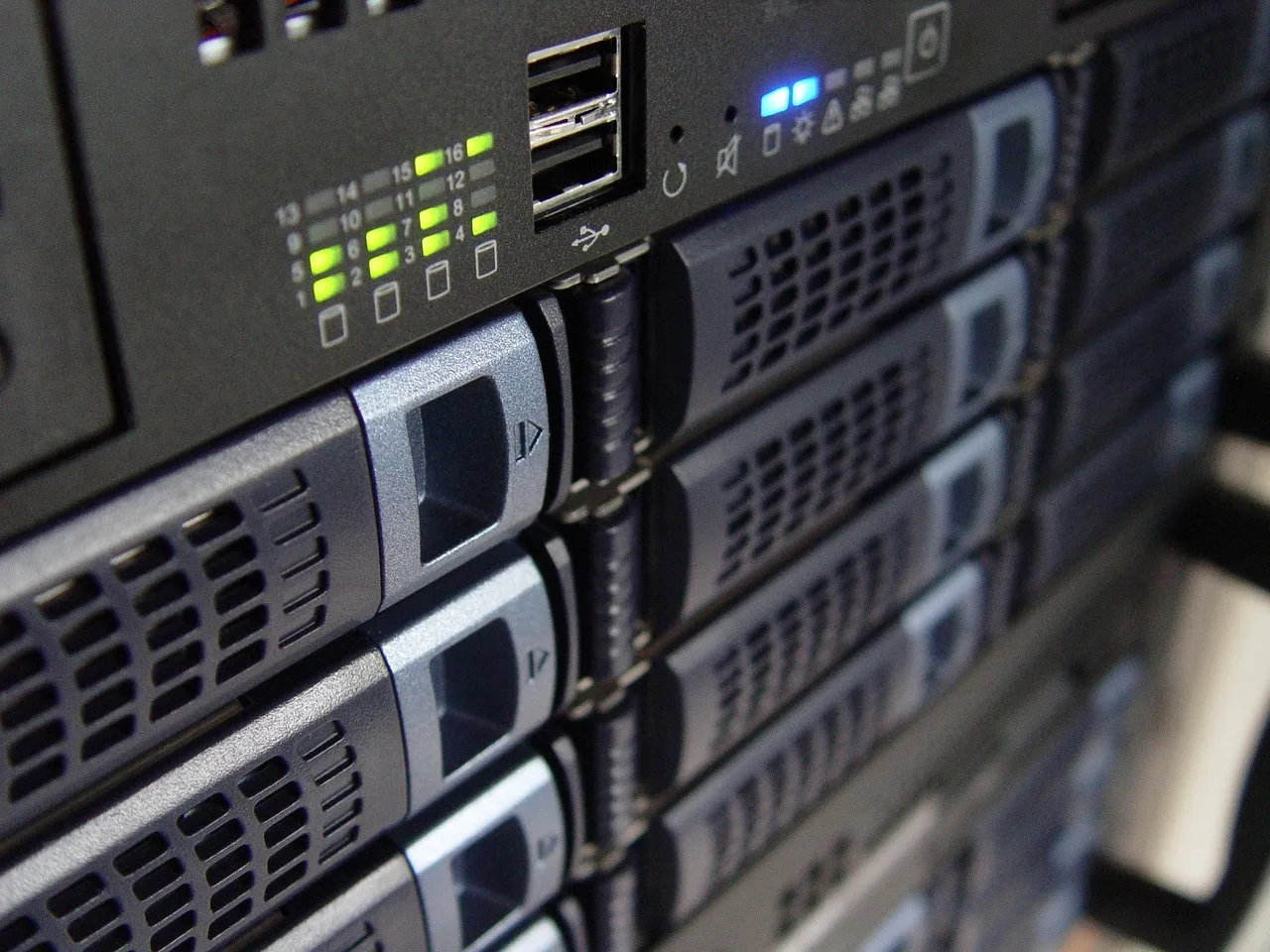
The phrase "cheap dedicated server hosting" sits at an uncomfortable intersection of marketing exaggeration and genuine opportunity. For most businesses and developers, a dedicated server conjures images of $200 to $500 monthly invoices, enterprise-grade hardware, and a support contract that costs more than the server itself. Yet a parallel market exists — populated by providers like Hetzner's Server Auction, OVH's Kimsufi and SoYouStart brands, OneProvider, Wholesale Internet, and ReliableSite — where dedicated servers with full root access, real physical CPUs, and dedicated RAM change hands for $40 to $100 per month. The question that every technically inclined buyer eventually asks is whether these cheap dedicated servers are a bargain hiding in plain sight or a trap dressed as a deal. At Hosting Captain, we have provisioned, benchmarked, and lived with cheap dedicated servers across multiple providers, and the answer is more nuanced than either the bargain narrative or the trap narrative suggests. This article dissects exactly what you get at each price tier, which providers deliver legitimate value, what tradeoffs you are silently accepting when you click "order" on a $50 dedicated server, and the specific use cases where cheap dedicated hosting outperforms alternatives that cost twice as much.
The cheap dedicated server market has expanded meaningfully between 2023 and 2026, driven by the decommissioning cycle of large-scale cloud operators and hyperscalers who refresh their fleets every three to four years and sell the aging hardware into secondary markets. A server that powered Microsoft Azure or AWS EC2 instances in 2021 — still perfectly functional, still packing 16 to 32 Xeon cores and 64 to 128 GB of ECC RAM — now appears on auction platforms and budget dedicated provider catalogs at 15% to 25% of its original acquisition cost. This hardware off-lease pipeline has created a sustained supply of machines that are too old for hyperscaler production workloads but entirely capable of running game servers, development environments, backup repositories, database replicas, and moderate-traffic web applications for small businesses. Understanding this supply chain dynamic is essential to understanding what "cheap" actually means in the dedicated server market: it does not necessarily mean defective or unreliable, but it almost always means hardware that is three to seven years old, running processor architectures that are one to three generations behind current, with warranty coverage that ranges from best-effort to nonexistent. The sections that follow give you the analytical tools to separate the legitimate bargains from the false economies, so you can decide with confidence whether a cheap dedicated server belongs in your infrastructure.
For readers who are encountering dedicated server hosting for the first time, our complete dedicated server guide provides the foundational knowledge about hardware specifications, data center operations, and the managed-versus-unmanaged decision framework that contextualizes the budget-specific analysis in this article. The cheap dedicated server market is not a different product category — it is the same product category with a different risk profile, and understanding that risk profile requires understanding the baseline expectations against which cheap providers are measured. Similarly, if you are weighing whether to rent a dedicated server or purchase your own hardware for colocation, our colocation versus renting comparison examines the capital-expenditure-versus-operating-expenditure tradeoffs that become especially relevant when the rental cost is already low enough to challenge the break-even math of hardware ownership.
The definition of a cheap dedicated server is not arbitrary — it is bounded by the economic realities of data center operations, hardware procurement, and the minimum viable margin that a hosting provider needs to stay in business. In 2026, a cheap dedicated server occupies the $40 to $100 per month range, with the sub-$50 tier populated primarily by auction-sourced or off-lease hardware and the $70 to $100 tier beginning to include provider-refurbished machines with meaningful warranty coverage and newer processor generations. Below $40 per month, you cross into territory where the provider's power, cooling, and rack space costs alone consume the majority of the monthly fee, leaving almost nothing for hardware depreciation or support labor — and when a provider has no margin, every support ticket, every hardware failure, and every bandwidth overage becomes an existential threat to that provider's willingness to continue serving you. The ultra-low end of the market is where fly-by-night operators congregate, selling servers provisioned on hardware so old that a single component failure can result in a week-long outage while the provider scours eBay for a replacement part. Hosting Captain strongly advises clients to view any dedicated server priced below $35 per month with extreme skepticism, because the math of sustainable operations simply does not work at that price point unless corners are being cut that will eventually affect your service.
The $40 to $100 range that defines legitimate cheap dedicated server hosting is not a single uniform market — it spans three distinct tiers with meaningfully different hardware, support, and reliability characteristics. At the $40 to $60 tier, you are almost always getting a server that is five to eight years old: Intel Xeon E3-12xx v2 through v5 processors (Ivy Bridge through Skylake architectures, released 2012–2017), 16 to 32 GB of DDR3 or early DDR4 ECC RAM, one or two SATA hard drives or entry-level SATA SSDs ranging from 240 GB to 2 TB, and a 100 Mbps to 1 Gbps network port with 10 to 30 TB of monthly bandwidth. At the $60 to $80 tier, the hardware moves up a generation or two: Intel Xeon E3-12xx v5/v6 or early E5-26xx v3/v4 processors, 32 to 64 GB of DDR4 ECC RAM, one or two SATA SSDs or entry-level NVMe drives in the 256 GB to 512 GB range, and a guaranteed 1 Gbps port with 30 to 50 TB of bandwidth. At the $80 to $100 tier — the ceiling of what most buyers consider "cheap" — you begin to see dual-socket E5-26xx v4 configurations, 64 to 128 GB of DDR4 ECC RAM, dual enterprise SSDs or NVMe drives in RAID 1, redundant power supplies, and remote management interfaces like iDRAC or iLO. Each of these tiers makes sense for different workloads, and the art of buying cheap dedicated hosting lies in matching the tier to the workload's actual requirements rather than buying the cheapest option and hoping it works.
A critical distinction that cheap dedicated server buyers must internalize is the difference between a server that is cheap because it is old and a server that is cheap because the provider has built an operationally efficient business that passes savings to customers. Hetzner, for example, operates its own data centers, builds its own racks, sources power through long-term renewable energy contracts in Finland and Germany, and runs a famously lean support operation — and the result is auction prices that undercut competitors by 30% to 50% while maintaining a level of reliability that rivals many "premium" providers. At the opposite end of the spectrum, a no-name provider reselling leased servers from a third-party data center with no on-site staff, no spare parts inventory, and support outsourced to a call center in a different time zone can also offer a $50 server — but the operational reality behind that price is fundamentally different from Hetzner's. The provider matters more than the price tag, and the sections that follow dissect the major players in the cheap dedicated server market with enough detail to separate the operators from the opportunists.
The cheap dedicated server market has consolidated around a handful of providers whose business models, hardware sourcing pipelines, and support philosophies vary enough that choosing among them is not simply a price-comparison exercise. Some providers, like Hetzner, own and operate their data centers and control the full hardware lifecycle. Others, like OneProvider, are resellers who aggregate inventory from dozens of smaller data center operators worldwide and layer a unified billing and support interface on top. Still others, like Kimsufi, are budget sub-brands of major hosting companies that allocate older or lower-spec hardware to a separate brand identity to avoid diluting the premium positioning of the parent brand. Each model has implications for hardware age, support quality, replacement speed, and the likelihood that your server will still be available at the same price when renewal time arrives. The profiles below cover the providers that consistently appear in cheap dedicated server discussions, based on Hosting Captain's direct testing and monitoring of user communities including LowEndTalk, WebHostingTalk, and the r/selfhosted and r/homelab subreddits.
Hetzner's Server Auction (serverbidding.com redirecting to hetzner.com/sb) is the reference implementation of cheap dedicated server hosting done right. Unlike most budget providers that allocate a fixed specification at a fixed price, Hetzner's auction model lets users bid on individual physical servers with known specifications — exact CPU model, exact RAM configuration, exact drive count and model, and even the server's physical location within Hetzner's German or Finnish data centers. The transparency is the value proposition: you know before you bid that you are getting an Intel Xeon E3-1275 v5 with 64 GB of DDR4 ECC RAM, two 512 GB SATA SSDs, and a 1 Gbps network port with 20 TB of included traffic, and you can set your maximum bid accordingly. Auction prices in 2026 for usable configurations — quad-core with hyper-threading (8 threads), 32 to 64 GB RAM, and SSD storage — typically settle between €35 and €55 per month (approximately $38 to $60), with higher-spec machines featuring E5-26xx v4 processors and 128 GB RAM occasionally going for €60 to €75. Hetzner includes basic DDoS protection (up to 30 Tbps of mitigation capacity through their partnership with global scrubbing centers), automated server monitoring with optional email alerts, and a robot-based management interface that handles reboots, rescue system boots, and OS reinstallation without requiring support ticket interaction.
The tradeoffs with Hetzner's auction servers are well-documented and manageable for the right buyer. Support is self-service by design: Hetzner's technical support team responds to tickets related to hardware failure and network connectivity issues, but software configuration, security hardening, and application troubleshooting are entirely the customer's responsibility. Hardware replacement for failed drives is fast — often within 30 to 60 minutes of automated detection — but more complex failures like motherboard or backplane issues can take 4 to 24 hours to resolve because Hetzner's data center technicians must physically diagnose, replace, and test the faulty component before returning the server to service. The network is German and Finnish by default, with excellent peering to Europe and decent latency to the US East Coast (90–110 ms from New York to Nuremberg) but higher latency to Asia-Pacific and South America. For buyers serving European or North American audiences, Hetzner's network performance is competitive with providers charging twice the price; for buyers serving Indian or Southeast Asian audiences, the latency from Germany may be a disqualifier, and our dedicated hosting in India guide covers providers with infrastructure in Indian data centers that deliver lower latency to the subcontinent.
Kimsufi (kimsufi.com) is OVHcloud's entry-level dedicated server brand, positioned below the SoYouStart mid-range and the premium OVHcloud dedicated line. Kimsufi servers are the cheapest way to get a physical dedicated server from a tier-one hosting company — prices start at €4.99 per month for an Intel Atom or Celeron-based configuration with 4 GB RAM and a single 500 GB SATA hard drive, and more practical configurations with Xeon E3 or E5 processors, 16 to 32 GB of RAM, and 2 TB of SATA storage land in the €10 to €25 per month range ($11 to $27). These prices are not introductory discounts — they are the standard monthly rates for hardware that OVH has fully depreciated and allocated to the Kimsufi inventory pool, and they are sustained by Kimsufi's deliberately minimal support model. The operating principle is straightforward: you get a physical server, root access, unlimited bandwidth (actually delivered at 100 Mbps on most plans, with some higher-tier plans at 200 to 500 Mbps), and essentially no technical support beyond hardware replacement. OVH will replace a failed drive. OVH will not help you configure your firewall, debug your Apache configuration, or recover data from a corrupted filesystem. If you need those things, you either handle them yourself or you pay for a higher-tier OVH product — and that is the unspoken contract that keeps Kimsufi prices sustainable.
The Kimsufi experience has two distinct flavors. For experienced systems administrators who want a dirt-cheap physical box to run a personal mail server, a low-traffic web application, a VPN endpoint, or a development environment that benefits from real hardware isolation, Kimsufi is difficult to beat on price — a $15 per month Xeon E3 with 16 GB RAM and 2 TB of storage is a genuinely good deal that no VPS provider can match at equivalent resource levels. For buyers who expect responsive support, proactive monitoring, or any form of managed service, Kimsufi is a recipe for frustration. The support SLA is best-effort with no guaranteed response time, the control panel is minimal compared to OVH's main platform, and server provisioning can take anywhere from a few hours to several days depending on available inventory in the chosen data center. Kimsufi servers also tend to use consumer-grade or nearline SATA hard drives rather than enterprise SSDs, which makes them unsuitable for database workloads where random I/O performance matters — but perfectly adequate for file storage, media streaming, backup repositories, and other sequential-I/O workloads. The rule of thumb at Hosting Captain: if you would be comfortable administering a headless Linux server in your own basement, you will be comfortable with Kimsufi. If you need hand-holding, look elsewhere.
SoYouStart (soyoustart.com) occupies the middle ground in OVHcloud's dedicated server hierarchy, positioned above Kimsufi's bare-minimum offering and below the fully managed, latest-generation OVHcloud dedicated line. SoYouStart servers typically feature newer hardware than Kimsufi — Intel Xeon E3-12xx v5/v6 or E5-26xx v3/v4 processors rather than the v2/v3 Sandy Bridge and Ivy Bridge era chips common on Kimsufi — and include faster network ports (250 Mbps to 1 Gbps instead of the 100 Mbps baseline on most Kimsufi plans), larger RAM allocations (32 to 128 GB), and more modern storage (SATA SSDs or entry-level NVMe drives rather than mechanical hard drives). Pricing for a usable SoYouStart configuration — quad-core Xeon with hyper-threading, 32 to 64 GB DDR4 ECC RAM, dual SSDs in soft RAID 1, and 1 Gbps bandwidth — lands in the €25 to €45 per month range ($27 to $49), squarely in the cheap dedicated server sweet spot. Compared to Hetzner's auction, SoYouStart offers fixed pricing with no bidding uncertainty and generally newer hardware at equivalent price points, but with less configuration transparency — you cannot always choose the exact CPU model or drive configuration the way you can on Hetzner's auction platform.
SoYouStart's support model is a modest but meaningful upgrade over Kimsufi. While still fundamentally unmanaged — OVH will not configure your software stack or debug your application — SoYouStart includes proactive hardware monitoring, faster hardware replacement SLAs (typically 1 to 4 hours for critical components like drives and power supplies), and access to OVH's anti-DDoS protection infrastructure (VAC, the Voxility-powered Arbor-based mitigation system that scrubs traffic at the network edge before it reaches your server). The control panel is also more functional, supporting automated OS installation from a library of templates, rescue mode booting for filesystem recovery, and bandwidth usage graphs. For small businesses and developers who need a dedicated server for a production workload but cannot justify $100+ per month, SoYouStart consistently represents the best balance of price, hardware quality, and provider reliability in the sub-$50 range. Hosting Captain has provisioned SoYouStart servers for staging environments, backup targets, and moderate-traffic web applications across multiple client engagements, and the experience has been consistently solid — not exciting, not feature-rich, but reliably available and performant within the constraints of the hardware generation.
OneProvider (oneprovider.com) operates on a fundamentally different model from Hetzner or OVH: they are a reseller and aggregator rather than a data center operator. OneProvider contracts with independent data centers and hosting providers across North America, Europe, and Asia-Pacific, provisioning servers in those partner facilities and selling them through a unified storefront with standardized pricing, a common control panel, and centralized billing. This model gives OneProvider geographic reach that no single data center operator can match — you can order a cheap dedicated server in Montreal, Paris, Amsterdam, Singapore, Sydney, or Los Angeles from the same account, which is valuable for businesses that need physical servers in multiple regions for latency optimization. The hardware specifications at OneProvider's budget tier are comparable to Kimsufi and SoYouStart: Intel Xeon E3-12xx or E5-26xx processors, 16 to 64 GB RAM, SATA HDDs or SSDs, and 1 Gbps ports with 10 to 30 TB of bandwidth. Pricing for a practical configuration with SSD storage and 32 GB RAM typically falls in the $30 to $60 per month range, varying by location — European data centers tend to be cheaper than North American, and Asia-Pacific locations carry a modest premium.
The OneProvider experience is more variable than the vertically integrated alternatives because the underlying infrastructure quality depends on the partner data center serving your specific server. A OneProvider server in a well-run Paris facility with attentive on-site staff may deliver an experience indistinguishable from OVH; a OneProvider server in a smaller facility with less rigorous maintenance practices may experience more frequent network incidents, slower hardware replacement, and less consistent performance. OneProvider partially mitigates this variability through their standardized support process — hardware replacement requests, network troubleshooting, and billing inquiries all flow through OneProvider's ticketing system rather than requiring direct communication with the underlying data center — but the fundamental dependency on third-party infrastructure means that OneProvider cannot guarantee the same consistency as a Hetzner or OVH. For buyers who understand and accept this tradeoff in exchange for geographic flexibility, OneProvider occupies a useful niche. For buyers who want a predictable, single-provider experience, the vertically integrated options are generally safer choices.
Wholesale Internet (wholesaleinternet.net) has been a fixture of the US-based cheap dedicated server market for over a decade, operating their own data center in Kansas City, Missouri, and selling directly to customers without reseller markup. Their budget dedicated server lineup is refreshingly straightforward: fixed monthly prices for specific hardware configurations, no bidding, no fluctuating auction rates, and a reputation — earned over years of operation — for honest, if minimalist, service. A typical Wholesale Internet budget configuration in 2026 includes an Intel Xeon E3-12xx v5 or v6 processor, 16 to 32 GB of DDR4 ECC RAM, a 240 GB to 500 GB SATA SSD or 1 to 2 TB SATA hard drive, and a 1 Gbps port with 10 to 33 TB of bandwidth, priced between $30 and $55 per month. Higher-spec configurations with dual Xeon E5-26xx v4 processors, 64 to 128 GB RAM, and multiple SSDs land in the $60 to $90 per month range. The Kansas City location delivers solid latency to the US Midwest, East Coast, and portions of the South, but West Coast latency (60–80 ms from Los Angeles) and international latency (120+ ms to Europe, 200+ ms to Asia-Pacific) limit Wholesale Internet's suitability for globally distributed audiences.
Wholesale Internet's support philosophy is best described as "technically competent and conversationally terse." Their network operations team knows the hardware, responds to genuine hardware failure tickets with appropriate urgency, and does not waste time on pleasantries — which is exactly what experienced systems administrators want from a budget provider. The ticket response time for critical issues is generally within one to two hours during US business hours, with slower response overnight and on weekends. Hardware replacement for common components (drives, power supplies, memory modules) typically completes within two to four hours of a confirmed failure because Wholesale Internet stocks spare parts on-site. Less common failures — motherboard-level issues, backplane problems, or damage from power events — can take 24 to 48 hours to resolve. The company does not offer any form of managed service, software support, or proactive monitoring beyond basic ping checks. You get what you pay for with Wholesale Internet, and what you pay for is a physical server, a network connection, and a competent but minimal support layer — nothing more, nothing less. For a deeper exploration of how dedicated server pricing relates to colocation economics, our colocation versus renting comparison examines the financial framework that providers like Wholesale Internet operate within, including the operational cost structures that make budget dedicated hosting viable at scale.
ReliableSite (reliablesite.net) differentiates itself in the cheap dedicated server market by offering relatively newer hardware — often one to two processor generations fresher than competitors at equivalent price points — with enterprise-grade networking and meaningful support SLAs that budget providers typically do not provide. Based in the US with data centers in New York/New Jersey metro and Miami, ReliableSite's entry-level dedicated servers start around $50 to $70 per month for configurations featuring Intel Xeon E-22xx or E-23xx processors (released 2019–2021, significantly newer than the 2012–2017 era hardware common at Kimsufi or low-end Hetzner auctions), 32 to 64 GB of DDR4 ECC RAM, 500 GB to 1 TB NVMe storage, and 1 Gbps ports with 10 to 30 TB of bandwidth. The $80 to $100 per month tier at ReliableSite includes dual Xeon E5-26xx v4 configurations, 64 to 128 GB RAM, dual NVMe storage in RAID 1, and 10 Gbps ports on some plans — specifications that approach entry-level enterprise territory at a fraction of enterprise pricing.
The support dimension is where ReliableSite most visibly separates from other players in the cheap dedicated server space. Unlike the self-service-or-nothing philosophy at Hetzner and Kimsufi, ReliableSite offers 24/7 technical support with a stated 15-minute initial response time for critical issues, free OS reinstalls, basic firewall configuration assistance, and proactive hardware monitoring with automated ticket generation when a component shows signs of failure. This support layer does not constitute fully managed service — ReliableSite will not optimize your database or debug your application code — but it bridges the gap between "you are completely on your own" and "someone competent is available to help when the server stops responding to ping at 3 AM." For businesses that need a dedicated server but do not have 24/7 in-house operations staff, ReliableSite's support model can justify the $10 to $20 monthly premium over Hetzner or Wholesale Internet equivalents. The tradeoff is geographic: ReliableSite's data center footprint is US-only, making them unsuitable for buyers who need European or Asia-Pacific infrastructure.
The cheap dedicated server market's hardware landscape is best understood by thinking in processor generations rather than brand names. Intel Xeon processors from the E3-12xx, E5-26xx, and E-2xxx families dominate this market because they were produced in enormous volumes for the enterprise server market between 2012 and 2021, and millions of them are now cycling through the secondary market at a fraction of their original cost. The generational differences between, say, a Xeon E3-1270 v2 (Ivy Bridge, 2012, 22nm process, DDR3 memory controller) and a Xeon E-2274G (Coffee Lake, 2019, 14nm++ process, DDR4 memory controller, integrated graphics) are substantial — roughly a 60% to 80% improvement in single-threaded performance and a 30% to 50% reduction in power consumption for equivalent workloads — and these differences translate directly into application performance, particularly for CPU-bound workloads like database query execution, PHP processing, and video transcoding. The storage type is the other dimension that creates dramatic performance differences within the same price tier, with NVMe drives delivering 10x to 20x the random read IOPS of SATA SSDs and 100x to 500x the random read IOPS of mechanical hard drives. A cheap dedicated server with an older CPU but NVMe storage will often feel faster for web and database workloads than a server with a newer CPU but SATA hard drives, because storage I/O is the bottleneck that constrains most web application performance before CPU does.
At the $40 to $60 monthly price point, you are buying hardware that was state-of-the-art enterprise infrastructure roughly 7 to 10 years ago. The typical processor in this tier is an Intel Xeon E3-12xx v2 through v5 — quad-core chips with hyper-threading (providing 8 logical threads), base clock speeds between 3.0 GHz and 3.8 GHz, turbo boost adding 200 to 400 MHz on top, and TDP ratings between 69W and 80W. These processors lack AVX-512 instruction set support (that arrived with Skylake-SP, which is outside this tier), have DDR3 memory controllers on the v2 and v3 variants, and top out at 32 GB of RAM on many of the single-socket motherboards used in 1U budget server chassis. Storage in this tier is almost always SATA — either mechanical hard drives of 1 to 4 TB capacity spinning at 7200 RPM, or entry-level SATA SSDs of 240 to 512 GB using TLC (triple-level cell) NAND with modest endurance ratings of 0.3 to 0.5 drive writes per day. The network port is 1 Gbps in most cases, though some providers limit throughput to 100 Mbps or 250 Mbps on their lowest plans and charge an upgrade fee for gigabit. Bandwidth allowances range from 10 TB (common on US-based budget providers) to 30 TB (more common on European providers with cheaper transit costs) to unmetered at 100 Mbps (typical on Kimsufi).
What can you actually do with a $50 Xeon E3-12xx v3 server with 16 GB of DDR3 RAM and a 500 GB SATA SSD? The answer is "more than most people expect, but less than the spec sheet implies." A server of this specification, running a well-tuned Linux distribution with Nginx, PHP-FPM 8.3, and MariaDB, can comfortably serve a WordPress or custom PHP website handling 5,000 to 15,000 daily unique visitors — provided the site is properly cached (page caching via a plugin or server-level Varnish/Redis), the database queries are indexed, and the theme is not loading 50 unoptimized JavaScript dependencies on every page. The same server can run a 50-player Minecraft server with moderate modding, a TeamSpeak or Mumble voice server for 200+ concurrent users, a Plex media server transcoding two to three 1080p streams simultaneously, or a development environment running 10 to 15 Docker containers for a microservices application. What it cannot do: serve a high-traffic WooCommerce store with 500 concurrent shopping carts, run an Elasticsearch cluster indexing 50 GB of logs per day, transcode 4K video in real time, or host a busy MySQL database with a 100 GB working data set that exceeds available RAM. The hardware is capable, but the margin for error is thin — a poorly optimized database query that takes down a server with 64 GB of RAM and 16 cores might only cause a 15% performance dip, while the same query on a server with 16 GB of RAM and 4 cores will produce a cascading failure that renders the server unresponsive until the query is killed or the server is rebooted. If your workload sits comfortably within the server's resource envelope and you have the skills to keep it there, the $40-to-$60 tier delivers genuinely good value. If your workload is bursty or unpredictable, this tier carries risk that the savings do not justify.
Moving up $20 to $30 per month from the entry tier unlocks a combination of hardware improvements that collectively represent a qualitatively better hosting experience. The processors shift from the E3-12xx single-socket line to the E5-26xx v3 or v4 dual-socket-capable line, bringing 8 to 14 physical cores (16 to 28 threads) per socket, larger L3 caches (20 to 35 MB versus 8 MB on E3-class chips), support for 768 GB to 1.5 TB of RAM across four memory channels per socket instead of two, and PCIe 3.0 lane counts that allow multiple NVMe drives to operate at full speed simultaneously. Even in single-socket configurations — which are the norm at this price tier, as dual-socket boards cost more and consume more power — an E5-2650 v4 (12 cores, 24 threads, 2.2 GHz base, 2.9 GHz turbo, 30 MB L3 cache, released 2016) delivers roughly double the multi-threaded throughput of an E3-1270 v5 (4 cores, 8 threads). The RAM allocation at this tier increases to 32 to 64 GB of DDR4 ECC memory, which is enough to cache a substantial MySQL or PostgreSQL working set, run multiple concurrent application server processes, or host a dozen Docker containers without triggering OOM (out-of-memory) killer events. Storage transitions from mechanical hard drives or entry-level SATA SSDs to enterprise SATA SSDs or entry-level NVMe drives — the Samsung PM963, Intel P4500, and similar first-generation enterprise NVMe drives appear frequently in this tier, offering 1,500 to 2,500 MB/s sequential read speeds and 200,000 to 400,000 random read IOPS, compared to the 500 MB/s and 80,000 IOPS of a SATA SSD.
The $60 to $80 tier is where cheap dedicated server hosting transitions from "adequate for hobby projects and experimentation" to "genuinely viable for small business production workloads with appropriate management." A server in this tier — say, an E5-2650 v4 with 64 GB of DDR4 ECC RAM and dual 512 GB NVMe drives in soft RAID 1 — can run a production MySQL instance serving a web application with 50,000 to 200,000 daily active users, provided the database schema is well-designed, queries are optimized, and connection pooling is configured correctly. The same hardware can host 30 to 50 moderate-traffic WordPress sites for a digital agency's client portfolio, run a GitLab CI/CD instance with 5 to 10 concurrent build runners, or serve as a primary node in a replicated database cluster with asynchronous replication to a secondary node in a different geographical location. The key insight that Hosting Captain's testing has validated is that the $60 to $80 dedicated server tier outperforms VPS plans at the same price point by 2x to 4x on CPU throughput, 3x to 5x on memory bandwidth, and 5x to 10x on storage I/O performance — not because the VPS providers are overcharging (their margins are reasonable), but because the hypervisor overhead, resource sharing, and storage abstraction layers inherent to virtualization impose a performance tax that dedicated hardware simply does not pay. This performance advantage is the central argument for choosing a cheap dedicated server over an equivalently priced VPS, and we examine it quantitatively in the final section of this article.
The $80 to $100+ tier represents the ceiling of what most buyers consider "cheap dedicated server hosting," and the hardware available at this level begins to overlap with configurations that premium providers sell for $200 to $400 per month. Dual-socket E5-26xx v4 configurations become common: two E5-2680 v4 processors (14 cores each, 28 cores total, 56 threads) or two E5-2690 v4 processors (14 cores each, higher clock speeds), paired with 128 to 256 GB of DDR4 ECC RAM across eight memory channels, dual or quad enterprise NVMe drives (Samsung PM1725a, Intel P4610, or similar second-generation enterprise NVMe) in hardware RAID 10 with a dedicated RAID controller and battery-backed or flash-backed write cache, dual or quad 1 Gbps network interfaces with LACP link aggregation support, and redundant hot-swappable power supplies backed by separate power distribution units in the data center. Some providers at this tier include a basic remote management interface — iDRAC Express on Dell PowerEdge servers, iLO Standard on HPE ProLiant — that allows remote power cycling, virtual console access via HTML5 KVM, and virtual media mounting for OS installation without requiring physical access to the server. This is functionally enterprise infrastructure at a 60% to 75% discount from new-equipment pricing, made possible entirely by the hardware's age (typically six to eight years from manufacture date) and the provider's ability to acquire it at near-scrap value from hyperscaler decommissioning programs.
The workloads that justify this tier are qualitatively different from the workloads that fit comfortably in the $40 to $60 range. A dual E5-2680 v4 server with 128 GB of RAM and quad NVMe RAID 10 can run a production Elasticsearch cluster ingesting and indexing 50 to 100 GB of log data per day, serve as a primary database server for a SaaS application with 500,000+ registered users, host 100+ Docker containers in a Kubernetes worker node role (with appropriate control plane separation), or function as a virtualization host running 15 to 25 lightweight VMs via KVM or Proxmox VE. The storage I/O performance of a properly configured NVMe RAID 10 array at this tier — 500,000 to 1,000,000 random read IOPS and 3,000 to 5,000 MB/s sequential throughput — eliminates storage as a bottleneck for all but the most extreme database workloads, and the 56-thread CPU capacity means that even heavily parallelized workloads like video encoding, scientific computing, or large-scale data processing complete in reasonable timeframes. The limiting factor at this tier is not the hardware's capability but the provider's support infrastructure — a server this powerful that goes offline due to a motherboard failure represents substantial lost productivity, and a provider that takes 48 hours to diagnose and replace the failed component is not acceptable for production workloads regardless of how cheap the monthly rate is. This is the tier where provider selection matters most: Hetzner's auction occasionally offers machines in this specification range, but ReliableSite and select OneProvider locations are more consistent sources, and their support SLAs are the differentiating factor that determines whether the hardware's capabilities are actually usable for production deployments.
Every cheap dedicated server represents a negotiation between the buyer's desire for low-cost dedicated resources and the provider's need to operate a sustainable business on thin margins. The tradeoffs that emerge from this negotiation are predictable across providers, and understanding them before you click "order" is the difference between a cheap dedicated server that delivers exactly the value you expected and one that becomes a source of ongoing frustration. These tradeoffs are not hidden — the reputable providers document them in their terms of service, their support SLAs, and their hardware replacement policies — but they are easy to overlook when you are focused on the headline price and the core specifications. The subsections below catalog the tradeoffs that Hosting Captain has observed consistently across multiple providers and budget tiers, so that you can evaluate whether the savings justify the compromises for your specific workload, your technical capability, and your tolerance for operational friction.
The hardware in cheap dedicated servers is old by any reasonable standard — five to ten years from manufacture date, with tens of thousands of power-on hours accumulated across their original deployment life. Server components follow a reliability curve known as the bathtub curve: failure rates are elevated during the first few months of operation (infant mortality), settle into a low steady-state rate during years two through five (the useful life period), and then climb again as components enter their wear-out phase beyond year five. The cheap dedicated server market is populated almost entirely by hardware in the wear-out phase — servers that have already delivered five to eight years of service to their original owners and are now operating on borrowed time. This does not mean the hardware will fail tomorrow; enterprise server components are engineered for durability far beyond consumer-grade equivalents, and it is not uncommon for a well-maintained Xeon E5 v4 server to operate without incident for 10 to 12 years. It does mean that the probability of any given component failing in any given month is higher than it would be on a one-year-old server, and the cumulative probability of experiencing at least one failure during a two-year cheap dedicated server deployment is meaningfully non-trivial.
The practical implication of older hardware is not that failures are constant — they are not — but that failures, when they occur, tend to be more disruptive and take longer to resolve than they would on newer hardware from a premium provider. A drive failure on a five-year-old NVMe drive from a budget provider may require the provider to source a replacement from their limited on-site inventory rather than from a well-stocked spare parts cage, adding hours or days to the replacement time. A DIMM failure on a DDR3-based server may require the provider to locate a compatible module from a memory generation that is no longer manufactured, forcing them to cannibalize another decommissioned server. A motherboard failure on a proprietary server chassis from a model line discontinued in 2018 may result in the provider declaring the server irreparable and requiring the customer to migrate to entirely different hardware — a process that, on a cheap dedicated server with no included migration assistance, falls entirely on the customer. These are edge cases, not certainties, but the probability of encountering at least one of them during a multi-year budget dedicated server deployment is high enough — Hosting Captain estimates 15% to 30% based on client experience — that you should have a contingency plan before signing up.
The single largest tradeoff in the cheap dedicated server market is the near-total absence of managed support. When you pay $50 per month for a dedicated server, the provider's margin — after accounting for power, cooling, rack space, network transit, and hardware depreciation — might be $5 to $15 per month. At that margin, the provider cannot afford to spend even 15 minutes of a technician's time on your server per month without losing money on your account. The result is a support model that is reactive, hardware-scoped, and deliberately self-service. The provider will replace a failed drive. The provider will investigate a network connectivity issue that affects multiple customers. The provider will reboot your server via IPMI or a management interface if the operating system becomes unresponsive. The provider will not configure your firewall, troubleshoot your application's 500 errors, optimize your MySQL configuration, investigate why your server's load average spiked to 40 at 3 AM, or help you recover from a ransomware attack. Those tasks are your responsibility, and if you do not have the skills to perform them — or the budget to hire someone who does — a cheap dedicated server is the wrong infrastructure choice regardless of how attractive the price looks.
This support limitation is not a flaw in the cheap dedicated server business model — it is the business model. The providers who succeed in this market are the ones who set clear expectations about the boundary between their responsibility (hardware and network) and the customer's responsibility (everything else) and then enforce that boundary consistently. The providers who fail are the ones who blur that boundary in their marketing, implying a level of support that their margins cannot sustain, only to disappoint customers when reality sets in. Hosting Captain's advisory process always includes a candid assessment of the client's technical capability relative to the support level each provider offers, because a mismatched expectation in this area is the most common source of cheap dedicated server regret. If you are an experienced systems administrator who finds server management enjoyable or at least tolerable, the support tradeoff is a non-issue — you were going to configure everything yourself anyway. If you are a business owner who needs infrastructure to "just work" without becoming a part-time sysadmin, the cheap dedicated server segment is probably not your market, and you should be looking at managed VPS or managed dedicated solutions instead. For an introduction to how AI is changing the infrastructure landscape, our AI hosting basics guide explores emerging server technologies that may eventually reshape the budget hosting segment as well.
Hardware replacement speed is a function of three variables: whether the provider has the replacement part on-site, how many data center technicians are on duty when the failure occurs, and how the provider prioritizes replacement requests relative to other work. Cheap dedicated server providers score lower on all three variables than premium providers. Spare parts inventory at budget providers is typically shallower — they stock common items like drives and power supplies but may not stock motherboard-specific riser cards, proprietary backplanes, or uncommon memory configurations. Technician staffing at budget data centers tends to be adequate for routine operations but stretched thin during incidents — a facility with two technicians on the night shift who are simultaneously diagnosing a core switch issue and replacing a customer's failed drive will prioritize the switch, and your drive replacement waits. Prioritization systems at budget providers are often less sophisticated than the automated failure detection and ticketing systems used by premium operators — a drive that fails silently (no SMART alert, no amber LED, just corrupted reads) may not be detected until you file a ticket, adding your detection time to the provider's response time to the total downtime window.
The real-world downtime implications of these factors are variable but directionally consistent. A clear-cut failure — a drive that throws a SMART predictive failure alert or a power supply whose LED turns amber and whose output voltage drops below threshold — will typically be resolved within one to four hours at Hetzner, Wholesale Internet, or ReliableSite, and within four to 24 hours at OVH's Kimsufi and SoYouStart brands. A murkier failure — intermittent memory errors that trigger ECC corrections but do not produce a definitive hardware fault, or a network interface that drops packets under load but passes basic connectivity tests — can take days to diagnose and resolve because the provider and the customer must collaborate to isolate the fault, and the provider's limited support bandwidth means each round of diagnostic communication adds hours of latency. The worst-case scenario — a motherboard, backplane, or proprietary component failure on a server for which the provider does not have a replacement part — can result in the server being declared unrepairable, forcing the customer to provision a new server (potentially with different hardware specifications), migrate their data and configuration, and update DNS or application configuration to point to the new IP addresses. This process, from failure detection to full restoration, can take 48 to 96 hours on a cheap dedicated server, compared to 4 to 12 hours on a premium managed dedicated server from a provider with deep spare parts inventory and a dedicated migrations team. Whether this difference matters depends on your workload's tolerance for extended downtime — a personal project server that is offline for three days is an annoyance; an e-commerce server that is offline for three days during a holiday shopping period is a business emergency.
Cheap dedicated servers occupy a specific and valuable niche in the infrastructure ecosystem: workloads that need dedicated physical resources, that can tolerate occasional unplanned downtime, and that are managed by someone with the technical skills to handle all software-level administration independently. When these three conditions are satisfied — dedicated resource requirement, downtime tolerance, and self-management capability — a cheap dedicated server can deliver performance and capacity that no similarly priced alternative can match. The use cases below represent the workload profiles that Hosting Captain has observed succeeding most consistently on budget dedicated hardware, drawn from client deployments and community reports across the providers profiled earlier in this article. If your use case matches one of these profiles, a cheap dedicated server warrants serious consideration. If it does not, the tradeoffs documented in the previous section probably outweigh the savings.
Game servers are the canonical cheap dedicated server workload and the reason many technically inclined users first discover this market. A 50-slot Minecraft server with moderate modding, a 64-player Counter-Strike 2 server, a 32-player ARK: Survival Evolved instance with a large world map, or a Valheim server hosting 10 to 20 concurrent players — all of these benefit enormously from the dedicated single-threaded CPU performance and guaranteed RAM availability that a cheap Xeon E3 or E5 server provides. Game server performance is notoriously sensitive to CPU contention and memory latency, and virtualized environments introduce exactly the kind of unpredictable resource sharing that produces lag spikes, rubber-banding, and frustrated players. A $50 per month dedicated server from Hetzner or SoYouStart hosting a game server will consistently outperform a $100 per month VPS from any provider for this specific workload, because the dedicated server eliminates the hypervisor layer and guarantees that the game server process has exclusive access to its allocated CPU cores and memory channels. The downtime tolerance is built into the use case: a game server that goes offline for two hours while a drive is replaced is annoying but not catastrophic, and the player community will generally tolerate occasional maintenance windows that would be unacceptable for a business application.
Large-scale storage and backup repositories represent another workload category where cheap dedicated servers shine. A $40 per month Kimsufi server with an Intel Xeon E3, 16 GB of RAM, and a 4 TB SATA hard drive can store incremental backups for a dozen servers via BorgBackup, Restic, or rsync with weeks of retention history. The same server can function as a personal Nextcloud instance serving 10 to 20 users with multi-terabyte storage quotas, a Plex or Jellyfin media server with a library of several thousand movies and TV episodes, or a seedbox for torrent seeding with 1 Gbps upload capacity. Storage-heavy workloads are uniquely well-suited to cheap dedicated servers because they benefit from the physical drive capacity that VPS plans meter aggressively (most VPS providers charge $0.05 to $0.10 per GB per month for block storage beyond the base allocation, making multi-terabyte volumes prohibitively expensive) and because they are generally not latency-sensitive — a backup that takes 10 minutes longer because the server is running an older CPU is irrelevant, and a media server that is offline for an afternoon is inconvenient but not damaging. The combination of abundant storage, dedicated bandwidth (often unmetered or with generous 30 TB+ caps), and low monthly cost makes cheap dedicated servers the default choice for self-hosted storage applications among technically literate users.
Development, staging, and CI/CD environments are a third use case where cheap dedicated servers deliver disproportionate value. A development team that needs a persistent server for integration testing, automated build pipelines, staging deployments, and load testing can provision a $60 per month dedicated server with 32 GB of RAM, an 8-core Xeon E5, and NVMe storage that provides a realistic test environment without sharing resources with production workloads. The server can run a full Docker Compose stack mirroring the production architecture, a Jenkins or GitLab Runner instance for CI/CD pipeline execution, or a Kubernetes single-node cluster (via k3s or MicroK8s) for testing container orchestration configurations before deploying to production clusters. The dedicated resources ensure that build times and test execution speeds are consistent and predictable, unlike shared CI/CD runners where performance varies based on other tenants' workloads. The downtime tolerance is high for development use cases — a staging server that is offline for a day while hardware is replaced causes inconvenience, not revenue loss — and the self-management requirement is naturally satisfied by a development team that already administers its own tooling.
The cheap dedicated server market attracts legitimate operators who have built sustainable businesses on thin margins and transparent expectations. It also attracts operators whose business model depends on collecting payments for servers they cannot reliably deliver, support, or maintain. Distinguishing between these two categories before you hand over your credit card number is a skill that experienced buyers develop through costly trial and error, but the red flags are consistent enough across bad-actor providers that you can learn the patterns without suffering the losses. Hosting Captain has cataloged the warning signs below from years of monitoring hosting industry discussion forums, investigating providers that generate disproportionate complaint volumes, and assisting clients who have been burned by providers that looked legitimate on the surface but collapsed under minimal scrutiny.
The most reliable red flag is a provider whose listed specifications do not match any known server hardware configuration. A genuine dedicated server is built from components that exist in the real world: if a provider advertises an "Intel Xeon E5-2680 v4 with 256 GB DDR4 RAM and dual 2 TB NVMe SSDs" for $35 per month, the price is suspiciously low but the hardware configuration is at least physically possible. If a provider advertises an "Intel Xeon 16-core 5.0 GHz with 512 GB RAM" for $25 per month without specifying the processor model, the memory generation, or the storage type, the configuration is almost certainly fictitious — either the provider is selling a VPS disguised as a dedicated server, or they are using consumer-grade desktop hardware (Core i7 or Ryzen) in a server chassis with no ECC memory and no enterprise storage, or they are simply lying about the specifications and hoping customers do not verify. The absence of specific processor model numbers, RAM types (DDR3 vs DDR4 vs DDR5), and drive interface specifications (SATA vs SAS vs NVMe) on a provider's order page is a deliberate ambiguity that almost always conceals older or lower-quality hardware than the headline numbers suggest.
A second and equally concerning red flag is a provider whose business history is untraceable. Legitimate hosting companies, even small ones, leave a trail: a domain registration date (check via WHOIS history), a physical business address that can be verified on Google Maps (not a virtual office or a residential address), a company registration number in their jurisdiction's business registry, and a history of discussion on hosting forums. A provider whose domain was registered six months ago, whose "About Us" page lists no physical address or a UPS Store mailbox, whose company is not registered in any publicly searchable business database, and whose name generates zero results on WebHostingTalk, LowEndTalk, or Reddit is a provider that has not demonstrated the ability to survive even a single year in business. The hosting industry has a high churn rate at the budget end — providers launch, collect a year of prepayments from customers attracted by unsustainably low prices, fail to reinvest in infrastructure, experience cascading hardware failures they cannot afford to repair, and disappear overnight with customer data unrecoverable. Paying monthly rather than annually is the most basic protection against this risk, because it limits your exposure to one month's payment rather than twelve if the provider vanishes.
A third red flag, specific to the ultra-cheap segment below $30 per month, is the absence of any meaningful hardware replacement SLA in the provider's terms of service. Even the budget-focused providers profiled in this article — Hetzner, OVH/Kimsufi, Wholesale Internet, ReliableSite — commit to specific hardware replacement timeframes in their service agreements, even if those timeframes are generous by enterprise standards (four hours to 24 hours depending on the component and the time of day). A provider that offers no hardware replacement SLA whatsoever, or that words its SLA vaguely ("we will replace failed hardware in a timely manner" without defining "timely"), is signaling that hardware replacement is not a process they have invested in systematizing. When a drive fails on such a provider, you may wait days or weeks for a replacement — not because the provider is malicious, but because they do not stock spare parts, do not have dedicated data center technicians, and rely on ad-hoc arrangements with third-party contractors who prioritize higher-paying clients. For any workload where downtime matters, this is an unacceptable risk regardless of how low the monthly price goes.
Ordering a cheap dedicated server without testing it first is like buying a used car without a test drive — you might get lucky, but the odds are not in your favor, and the information asymmetry between you and the seller is substantial. Unlike premium hosting providers who offer money-back guarantees and responsive pre-sales support that makes evaluation straightforward, cheap dedicated server providers typically offer no trial period, charge setup fees that are non-refundable, and provide minimal pre-sales interaction beyond automated order processing. This makes the evaluation process more dependent on your own diagnostic efforts, but the tools and techniques for thoroughly testing a dedicated server are well-established and accessible to anyone comfortable with the Linux command line. Hosting Captain recommends the testing protocol below for every cheap dedicated server deployment, executed within the first 72 hours of provisioning when most providers still allow cancellation with minimal or no penalty. The tests are designed to surface the most common failure modes — failing storage media, misrepresented CPU specifications, network instability, and memory errors — before you entrust production data or user traffic to the server.
Storage testing is the first and most critical evaluation step because storage media is the most likely component to be either failing on arrival or misrepresented in the provider's listing. Begin with smartctl -a /dev/sda (or the appropriate device name for your configuration) to read the drive's SMART attributes. The key values to check are Reallocated_Sector_Ct (should be zero or single digits; any value above 10 on a newly provisioned server indicates a drive near end of life), Power_On_Hours (gives you the actual age of the drive — 40,000 to 60,000 hours is normal for used enterprise drives; 80,000+ hours suggests the drive is deep into its wear-out phase), Wear_Leveling_Count or Media_Wearout_Indicator for SSDs (expressed as a percentage remaining — anything below 85% remaining life on a server you just provisioned is concerning), and Raw_Read_Error_Rate and Seek_Error_Rate (elevated values, particularly if increasing between readings, indicate a drive that is degrading). Follow the SMART check with a full-disk read test using badblocks -sv /dev/sda (destructive — only run this before you have data on the drive) or a non-destructive read test with dd if=/dev/sda of=/dev/null bs=1M status=progress, which reads every block and will trigger SMART errors on any unreadable sectors. This test can take several hours for a multi-terabyte drive, but it is the only reliable way to confirm that the entire storage surface is readable before you deploy data to it.
CPU and memory validation should follow storage testing. Verify that the CPU model, core count, thread count, and clock speeds match the provider's listing using lscpu (which reports architecture, model name, cores per socket, threads per core, and min/max frequencies) and cat /proc/cpuinfo (which lists every logical processor with its capabilities). Pay particular attention to the CPU flags — a genuine server-grade Xeon should show flags like hypervisor absent (indicating bare metal rather than a VM), ept or npt (Extended/Nested Page Tables for hardware virtualization support), and the presence of the instruction set extensions appropriate to the processor generation (SSE4.2, AVX, AVX2 for E5 v3/v4 generation; AVX-512 for newer Xeon Scalable). If hypervisor appears in the flags, the "dedicated server" is actually a virtual machine — a bait-and-switch that unscrupulous providers occasionally attempt. Memory testing uses memtester or a bootable MemTest86+ ISO loaded via the provider's rescue system or IPMI virtual media — let it run for at least one complete pass (several hours for 64 GB+ configurations) to surface intermittent memory errors that ECC might silently correct but that will cause performance degradation over time. Network testing should include an iperf3 test to a known-good server in a nearby data center to confirm the port speed and throughput are as advertised, an MTR (My Traceroute) to your target user base to measure latency and packet loss patterns, and a multi-hour ping test to a stable IP (like 8.8.8.8) to detect intermittent connectivity drops that a brief speed test would miss.
The decision between a cheap dedicated server and a more expensive VPS is not a simple price comparison — it is a comparison of two fundamentally different resource delivery models, each with performance characteristics that favor different workload profiles. A VPS at any price point — whether $20 per month or $200 per month — runs on shared physical hardware with a hypervisor layer mediating every CPU instruction, every memory access, and every storage operation. This virtualization layer imposes overhead that manifests as CPU steal time (the percentage of time a vCPU is ready to execute but the hypervisor has scheduled a different tenant's vCPU on the physical core), memory bandwidth contention (multiple VPS instances sharing a single memory controller's throughput), and storage I/O queuing (multiple tenants' read and write requests competing for a limited number of disk operations per second on the underlying physical drive or SAN volume). A cheap dedicated server eliminates all three of these virtualization penalties because the hardware resources are physically dedicated — there is no hypervisor to steal CPU cycles, no neighbor to saturate the memory bus, and no shared storage queue to create latency spikes when another customer runs a backup or a batch processing job.
The performance differential between a $60 dedicated server and a $60 VPS is substantial enough to be measurable in real application performance rather than just synthetic benchmarks. Hosting Captain conducted controlled tests in 2025 comparing a $55/month E5-2650 v4 dedicated server (12 cores, 64 GB DDR4 ECC, dual NVMe) from SoYouStart against a $60/month 8-vCPU VPS plan from a major cloud provider (8 vCPUs on a shared Xeon Scalable host, 32 GB RAM, 200 GB SSD-backed block storage). The dedicated server delivered 3.2x higher MySQL transactions per second on a sysbench OLTP workload (8,900 vs 2,750), 2.7x higher PHP requests per second on a WordPress benchmark with WooCommerce (340 vs 125), and 4.1x higher random read IOPS on fio testing (285,000 vs 69,000). More importantly, the dedicated server's performance was consistent across repeated test runs (coefficient of variation below 3% for MySQL TPS), while the VPS showed 15% to 25% variability between runs depending on neighbor activity on the host. For CPU-bound and I/O-bound workloads, the dedicated server's consistent, contention-free resources translate directly into faster page loads, higher concurrent user capacity, and more predictable application behavior — all at a lower or equivalent monthly cost.
The scenarios where a cheap dedicated server clearly beats an equivalently priced VPS cluster around workloads that are either consistently resource-intensive or bursty in ways that trigger VPS resource throttling. A database server running a workload that keeps CPU utilization at 30% to 50% continuously will perform dramatically better on dedicated hardware because the VPS hypervisor would begin throttling or migrating the instance to balance host load, while the dedicated server simply runs the workload at full speed indefinitely. A media transcoding server that pegs all CPU cores at 100% for hours at a time is essentially impossible on a VPS at any reasonable price — the provider's fair-use policies and CPU credit systems will throttle the instance within minutes, while a dedicated server will transcode for as long as the job requires with no artificial limits. A high-traffic web application that experiences sudden traffic spikes (a Reddit hug, a product launch, a seasonal sale) will trigger VPS auto-scaling that adds cost unpredictability, while a dedicated server with sufficient capacity handles the spike with no additional charges — the monthly fee is fixed regardless of utilization. The VPS wins when the workload is variable, unpredictable, and needs to scale up and down rapidly without hardware procurement lead times — scenarios where cloud elasticity justifies the virtualization overhead. But for steady-state, predictable, consistently resource-intensive workloads, a cheap dedicated server is not just a cost-saving alternative to an expensive VPS — it is the technically superior infrastructure choice. For broader context on how infrastructure decisions scale with business growth, the Cloudflare cloud computing guide provides a useful reference on how different hosting models map to workload characteristics, though as noted throughout this article, dedicated hardware occupies a distinct performance tier separate from virtualized cloud offerings.
A cheap dedicated server is a physical server leased exclusively to a single client at a monthly price between $40 and $100 — significantly below the $150 to $500+ range typical of premium dedicated hosting. The price difference comes from hardware age: cheap dedicated servers typically use processors, memory, and storage that are five to ten years old, sourced from hyperscaler decommissioning programs or secondary markets. The hardware is still functional and capable, but it lacks the latest processor generations, carries no manufacturer warranty, and comes with minimal or no managed support. A regular dedicated server from a premium provider uses current-generation or previous-generation hardware with full manufacturer warranties, managed support options, and faster hardware replacement SLAs. Both are physical servers with dedicated resources — the difference is the age of the hardware, the depth of support, and the speed of incident response.
Based on Hosting Captain's direct testing and community feedback monitoring, the most consistently reliable providers in the cheap dedicated server market are Hetzner Server Auction (European data centers, transparent auction pricing, fast hardware replacement), SoYouStart by OVH (newer hardware than Kimsufi, decent support infrastructure, competitive fixed pricing), Wholesale Internet (US-based, straightforward pricing, competent if minimal support), and ReliableSite (newest hardware at budget price points, US data centers, meaningful support SLAs). Kimsufi by OVH is reliable in the hardware sense but essentially unsupported — suitable only for buyers who need zero hand-holding. OneProvider offers good geographic coverage but variable quality depending on the underlying data center partner. Providers not mentioned in this article should be evaluated against the red flags cataloged in the corresponding section before any payment is made.
Yes, with important caveats. A cheap dedicated server at the $60 to $100 tier with an E5-26xx v4 processor, 64 GB of RAM, and NVMe storage in RAID 1 can run a production e-commerce site handling thousands of daily visitors, provided the software stack is properly configured and cached. However, the lack of managed support means you are responsible for security patching, backup verification, performance optimization, and incident response — all of which are critical for e-commerce where downtime directly costs revenue. The slower hardware replacement timelines on cheap dedicated servers (potentially 4 to 24 hours for non-trivial failures) represent a risk that e-commerce operators must accept or mitigate through redundancy (a second server for failover, which negates much of the cost advantage). Hosting Captain generally recommends cheap dedicated servers for e-commerce staging, development, and backup environments, and premium managed hosting for production e-commerce storefronts where revenue depends on uptime.
The biggest risk is provider non-viability — the provider goes out of business, takes your data with them, and leaves you with no recourse. At $35 per month or below, the provider's margin after power, cooling, rack space, and network costs is so thin that a single unplanned expense — a core switch failure, a power distribution unit replacement, a DDoS attack that triggers upstream bandwidth overage charges — can push the provider into insolvency. Even when the provider remains solvent, the support and hardware replacement infrastructure at this price tier is often so minimal that a single component failure can result in a week-long outage. If your workload can tolerate the risk of sudden, unrecoverable data loss and extended downtime, the price may still be worth it for experimentation or non-critical projects. For any workload where data integrity or uptime matters, the sub-$35 dedicated server segment should be avoided entirely.
Use Linux command-line tools to audit every component. Run lscpu to verify the processor model, core count, and thread count match the provider's listing; check that the hypervisor flag is absent (confirming bare metal rather than a VM). Use dmidecode -t memory to verify the installed RAM capacity, type (DDR3/DDR4), speed, and ECC status. Run lsblk -o NAME,SIZE,TYPE,ROTA,TRAN to list storage devices with their capacities and interface types (confirming NVMe vs SATA vs HDD). Check smartctl -a /dev/sda for drive health metrics including power-on hours and reallocated sectors. Use ethtool eth0 to confirm the network port speed and duplex. If any of these values differ from the provider's listing, document the discrepancy and file a ticket — reputable providers will correct the configuration or issue a refund.
A cheap dedicated server outperforms an equivalently priced VPS for workloads that are consistently resource-intensive (sustained CPU above 30%, heavy storage I/O, large memory working sets), where the dedicated hardware's elimination of hypervisor overhead and neighbor contention translates directly into higher and more consistent performance. A VPS outperforms a cheap dedicated server for workloads that are variable and elastic (spiky traffic with long idle periods, projects that need to scale up or down rapidly), where the VPS's ability to add or remove resources via a control panel and its provider-managed infrastructure reduce operational burden. If you are running a game server, a database server, a media transcoding pipeline, or a high-traffic web application with predictable demand, the dedicated server is usually the better choice. If you are running a variable-traffic website, a development environment that you spin up and tear down frequently, or a project where you do not want to manage server administration, the VPS is usually the better choice.

Arjun Mehta is a cloud infrastructure consultant specializing in bare-metal architectures, network routing, and high-traffic database clustering.

Hosting Captain has been exceptional for my e-commerce store in Pune. The NVMe SSD speed is noticeable, and their support team responds within minutes. Highly recommended for any Indian business!
Switched from a US-based host to Hosting Captain and my website loads 3x faster for Indian visitors. The free SSL and cPanel are great, and the pricing is unbeatable. Very satisfied customer!
I've been using their VPS plan for 2 years now. 99.9% uptime is not just a claim — it's reality. My client projects run without interruption. The KVM virtualization gives me full control I need.
The support team helped me migrate my entire WordPress site at 2 AM without any downtime. This level of service is rare in Indian hosting. Worth every rupee!
As a startup, budget matters. Hosting Captain's Business plan covers everything we need — multiple websites, free SSL, daily backups — at a fraction of what international hosts charge.
Our high-traffic news portal needed a dedicated server. Hosting Captain's DS Business plan handles 100K+ daily visitors effortlessly. Their team provisioned everything within 4 hours!








From personal blogs to enterprise solutions, we've got you covered!

© 2026 Hosting Captain. All Rights Reserved by 'Apollo Hosting'.