Emma Larsson
VPS Technical LeadEmma Larsson is a lead systems developer and virtualization specialist with a decade of expertise in kernel configurations and hypervisor scaling.

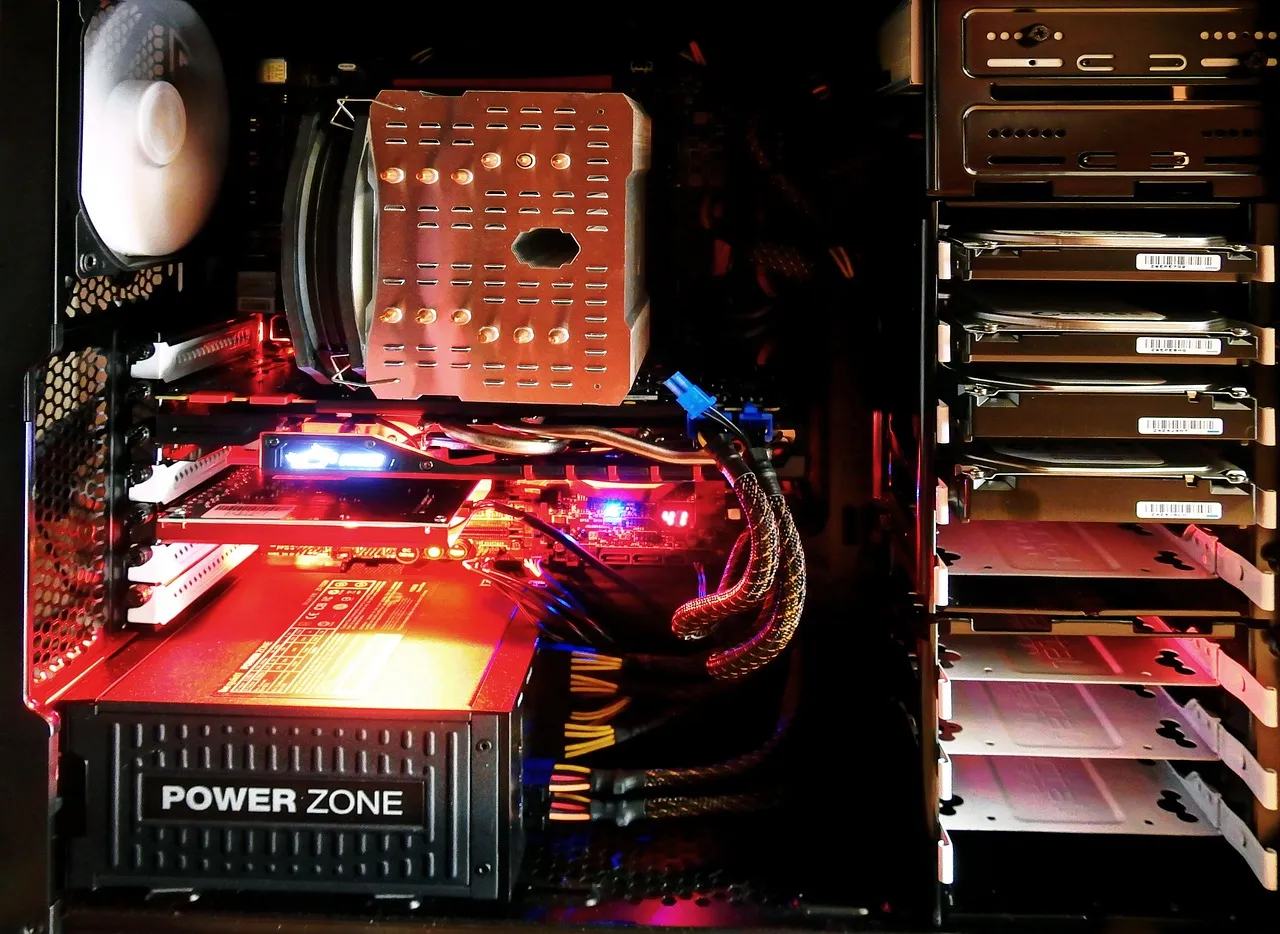
VPS hosting, short for Virtual Private Server hosting, sits squarely between the affordability of shared hosting and the raw power of dedicated server plans. Unlike shared hosting, where hundreds of websites compete for the same CPU cycles, memory, and disk I/O on a single physical machine, a VPS carves out a guaranteed slice of those resources exclusively for your project. The technology that makes this possible is server virtualization — a hypervisor layer that partitions one physical server into multiple isolated virtual environments, each running its own operating system instance — a concept explained in detail on Wikipedia's virtual private server article. From the perspective of your applications and visitors, a VPS behaves almost identically to a dedicated server: you get root access, the freedom to install custom software stacks, and predictable performance that does not fluctuate because a neighboring website suddenly experiences a traffic spike.
What sets VPS hosting apart in practical terms is the balance it strikes between cost, control, and scalability. A shared hosting plan might cost you between $3 and $15 per month, but you are restricted to the hosting provider's pre-configured environment, and resource contention can degrade your site's performance without warning. At the other end of the spectrum, a dedicated server delivers maximum isolation and raw horsepower, yet monthly fees routinely start at $80 to $150 and climb steeply from there. VPS hosting bridges that gap: plans in 2026 typically range from roughly $5 per month for entry-level configurations with 1 vCPU, 1 GB of RAM, and 25 GB of SSD storage, all the way up to $80 or more per month for resource-heavy setups suitable for production e-commerce stores, SaaS applications, or game servers.
The real value of VPS hosting becomes apparent when you consider how modern web projects evolve. A personal blog or a small portfolio site might thrive on shared hosting for years, but the moment you add a membership area, an online store, or a custom web application — or when your traffic crosses the 10,000 to 20,000 monthly visitor mark — shared hosting constraints start to show. Page load times creep upward, database queries queue behind other tenants' workloads, and your hosting provider may even throttle your account or ask you to upgrade. A VPS eliminates these bottlenecks by giving you dedicated resources and the ability to fine-tune your server configuration, from the web server software you use down to the PHP memory limits and database cache settings. This level of control is why Hosting Captain consistently recommends VPS hosting as the logical next step for growing websites that have outgrown budget shared plans but do not yet need the full cost commitment of a dedicated machine.
It is also worth emphasizing that VPS hosting is not a monolithic product category. The underlying virtualization technology, the management model, the hardware specifications, and the quality of the hosting provider's network infrastructure all vary significantly across the industry. Some VPS plans run on hypervisors that over-commit resources, meaning the provider sells more total vCPU and RAM than the physical hardware can deliver simultaneously, betting that most customers will not use their full allocation at the same time. Other plans, particularly those marketed as "cloud VPS" or "guaranteed-resource VPS," use stricter isolation and do not over-commit, which yields far more consistent performance. Understanding these nuances — which this guide unpacks in detail — is essential for making a smart purchasing decision rather than picking a plan based on the lowest advertised price.
At the core of every VPS hosting environment is a piece of software called a hypervisor, which is responsible for abstracting the physical hardware of a server and presenting virtualized resources to each VPS instance. The hypervisor runs directly on the physical server — either on bare metal as a Type 1 hypervisor or on top of a host operating system as a Type 2 hypervisor — and it allocates CPU time, memory pages, storage blocks, and network bandwidth to each virtual machine according to the plan's specifications. In production hosting environments, Type 1 hypervisors are the standard because they introduce less overhead and deliver near-native performance. When you purchase a VPS plan with 2 vCPUs and 4 GB of RAM, the hypervisor ensures that those resources are reserved for your virtual machine and, in well-configured setups, that other VPS instances on the same physical node cannot consume them.
KVM, or Kernel-based Virtual Machine, has become the dominant hypervisor in the VPS hosting industry as of 2026, and for good reason. KVM is built directly into the Linux kernel, which means every Linux distribution with a modern kernel can act as a KVM host without third-party kernel modules or proprietary licensing fees. Each VPS under KVM runs as a fully independent virtual machine with its own dedicated kernel, its own emulated hardware devices, and complete isolation from other VPS instances on the same physical node. This architecture allows KVM-based VPS plans to support virtually any operating system — not just Linux distributions, but also Windows Server, FreeBSD, and even custom kernel builds — because the guest operating system interacts with emulated hardware rather than a shared kernel interface. For users who need Docker containers, custom kernel modules, or VPN software that requires low-level kernel access, KVM is almost always the correct choice.
OpenVZ and its modern successor LXC (Linux Containers) represent a fundamentally different approach to server virtualization: instead of emulating hardware and running a separate kernel per VPS, container-based virtualization shares the host's Linux kernel across all instances while isolating userspace environments. The performance advantage is meaningful — because there is no hardware emulation layer and no duplicate kernel overhead, container-based VPS instances can achieve near-bare-metal CPU and I/O performance with very little resource waste. However, the trade-off is significant: you are restricted to running Linux distributions that are compatible with the host kernel, you cannot load custom kernel modules, and certain low-level system operations are unavailable or behave differently. In 2026, OpenVZ has largely been supplanted by LXC and LXD in modern hosting stacks, though many budget VPS providers still market OpenVZ-based plans at very low price points. Container-based VPS hosting can be an excellent choice for developers who only need a Linux environment and want maximum resource efficiency, but it is less suitable for workloads that require kernel-level customization or non-Linux operating systems.
Before KVM achieved its current level of market dominance, Xen was the go-to hypervisor for many VPS hosting providers, and it remains a robust option in 2026, particularly in enterprise and legacy environments. Xen is a Type 1 hypervisor that supports both paravirtualization — where the guest operating system is aware of the hypervisor and cooperates with it for better performance — and full hardware-assisted virtualization using Intel VT-x or AMD-V extensions. The paravirtualization mode historically gave Xen a performance edge over fully virtualized alternatives, but with modern hardware and KVM's optimizations, that gap has narrowed to the point of being negligible for most workloads. VMware's vSphere and ESXi hypervisors similarly power a subset of the VPS market, primarily among providers targeting enterprise customers who already operate VMware infrastructure internally and want consistency between their on-premises and hosted environments. For the typical small business or individual developer shopping for VPS hosting in 2026, a KVM-based plan from a reputable provider represents the best combination of flexibility, performance, and ecosystem support.
When a VPS plan advertises "2 vCPUs," it means the hypervisor will schedule your virtual machine's processing threads across two logical cores of the physical host server's CPU. A vCPU does not necessarily map to a dedicated physical core; instead, the hypervisor's scheduler allocates CPU time slices to your VPS from a pool of available processing capacity. In a well-provisioned hosting environment where the provider does not over-commit CPU resources aggressively, your VPS will consistently receive the full processing power of the allocated vCPU count. In oversold environments, however, multiple VPS instances compete for the same physical cores, and performance becomes inconsistent — your 2 vCPUs might perform like 0.5 vCPUs during peak usage hours. When evaluating a VPS plan, look for providers that either guarantee dedicated CPU cores or transparently disclose their vCPU-to-physical-core over-subscription ratio, and check user reviews for real-world performance consistency reports.
For most web hosting workloads in 2026 — such as running a WordPress site with moderate traffic, a Node.js application, or a small e-commerce store — 2 vCPUs is a comfortable starting point that leaves headroom for traffic spikes. If your workload includes CPU-intensive tasks like real-time video transcoding, machine learning inference, or compiling large codebases, you should consider plans with 4 vCPUs or more, and prioritize providers that offer AMD EPYC or Intel Xeon Scalable processors with high single-threaded performance. Hosting Captain's own VPS infrastructure runs on late-generation AMD EPYC CPUs specifically because their core density and per-thread performance deliver excellent value for the diverse workloads our customers run, from LAMP stacks to containerized microservices.
RAM is often the most constrained resource on a VPS, yet it is also the resource that newcomers most frequently underestimate. Every process running on your server — the web server, the database, your application code, background workers, and the operating system itself — consumes a portion of your allocated memory. When RAM runs out, the operating system begins swapping to disk, and because even the fastest NVMe SSD is orders of magnitude slower than RAM, performance collapses almost instantly. For a basic LAMP or LEMP stack serving a WordPress site with a handful of plugins, 2 GB of RAM is a reasonable baseline in 2026. If you add WooCommerce, a page builder like Elementor, or membership functionality, you should budget 4 GB or more to accommodate the additional PHP processes, database query caches, and object caching layers that these features require. Database-heavy applications such as custom-built SaaS platforms, forums with thousands of concurrent users, or analytics dashboards that run complex queries benefit substantially from 8 GB or more of RAM, which allows the database engine to cache large portions of the working data set in memory rather than reading from disk repeatedly.
Storage in the VPS hosting world has undergone a dramatic transformation over the past five years, and in 2026, virtually every reputable provider offers SSD storage as a baseline, with NVMe SSD becoming the premium standard. The difference between traditional SATA SSDs and NVMe SSDs is substantial: NVMe drives can deliver sequential read speeds exceeding 3,000 MB/s and random I/O performance measured in hundreds of thousands of IOPS, compared to roughly 500 MB/s and tens of thousands of IOPS for SATA SSDs. For database-driven websites that perform many small random reads and writes — which describes nearly every modern content management system and web application — NVMe storage can reduce page load times by 30% to 50% compared to SATA SSD storage, all else being equal. Capacity needs vary widely: a typical WordPress site with a few thousand images, a theme, and plugins might occupy 5 to 15 GB of disk space, while a SaaS application with user-uploaded content, database snapshots, and log files can easily require 50 GB or more. Always factor in room for growth, database backups, and system logs when selecting a storage tier, and confirm whether the provider includes automated backup storage in the plan price or charges separately for it.
Bandwidth allocation — typically measured in terabytes per month — determines how much data can be transferred between your VPS and your visitors before overage charges apply or throttling kicks in. Most mid-range and premium VPS plans in 2026 include unmetered bandwidth on ports ranging from 1 Gbps to 10 Gbps, which means you are limited by the port speed rather than a data cap. Budget VPS plans, however, often impose monthly transfer limits of 1 TB to 5 TB, which is adequate for the vast majority of small to medium websites but can become a constraint for high-traffic blogs, video streaming platforms, or file distribution services. Beyond raw throughput, pay attention to the provider's network architecture: a VPS hosted in a data center with direct peering to major internet exchanges and multiple Tier 1 transit providers will deliver lower latency and better resilience than one relying on a single upstream connection. Hosting Captain's network is engineered with redundant 10 Gbps uplinks and direct peering relationships with major content delivery networks, ensuring that your visitors experience fast page loads regardless of their geographic location.
A self-managed VPS plan gives you root access, a base operating system image, and the responsibility to configure, secure, monitor, and maintain everything from that point forward. You choose and install your web server software — Apache, Nginx, LiteSpeed, or Caddy — configure your database engine, set up firewall rules with iptables or ufw, apply operating system patches, configure automated backups, and respond to any security incidents or performance issues that arise. This model appeals to developers, system administrators, and technically proficient business owners who want full control over their server environment and are comfortable working on the command line. The cost savings can be substantial: a self-managed VPS with 4 vCPUs and 8 GB of RAM might cost $30 to $50 per month, while a managed equivalent from the same provider could run $70 to $120 per month due to the included support and administration labor.
The trade-off, of course, is time and expertise. Properly securing a Linux server — configuring SSH key-based authentication, disabling root login, setting up fail2ban, enabling automatic security updates, configuring a host-based intrusion detection system, and implementing least-privilege user accounts — takes several hours even for an experienced administrator. Ongoing maintenance adds a few hours per month for log review, performance tuning, backup verification, and applying patches. If you do not have that time or those skills, or if a server compromise would be catastrophic for your business, a self-managed VPS can become a liability rather than an asset. Hosting Captain generally advises that businesses without dedicated technical staff choose a managed VPS plan or at minimum pair a self-managed plan with a third-party server administration service.
Managed VPS hosting shifts the burden of server administration from you to the hosting provider's team of engineers, who handle operating system updates, security hardening, performance optimization, monitoring, and often application-level support for common software stacks. When you submit a support ticket because your website is down or slow, a managed hosting team investigates and resolves the issue — you do not need to SSH into the server and diagnose the problem yourself. For businesses where website uptime directly translates to revenue — e-commerce stores, booking platforms, SaaS products — the premium for managed hosting is often justified many times over by the reduction in downtime risk and the liberation of the business owner's time. Additionally, many managed VPS plans include features that would be complex to set up manually, such as automated off-site backups with one-click restore, integrated content delivery networks, server-level caching layers, and staging environments for testing changes before pushing them to production.
The managed VPS landscape in 2026 is more competitive than ever, with providers differentiating themselves through the depth of their support offerings. Some managed plans cover only the operating system and core services, leaving application troubleshooting to the customer, while others provide full-stack support that includes database optimization, malware cleanup, and even code-level debugging assistance. Before committing to a managed VPS plan, ask the provider to clarify exactly what is and is not covered, and read the service level agreement carefully — specifically the guaranteed response times for critical issues and the compensation structure if those guarantees are not met. Hosting Captain's managed VPS plans, for example, include 24/7 proactive monitoring, automatic nightly backups retained for 30 days, kernel-level security hardening, and support for all major control panels and web applications, with a 15-minute guaranteed response time for critical infrastructure incidents.
The most common trigger for upgrading from shared hosting to VPS hosting is straightforward resource exhaustion: your website has grown to the point where it consistently consumes more CPU time, memory, or disk I/O than your shared hosting plan allocates. You might notice this through symptoms such as increasing page load times, intermittent 503 or 504 gateway errors, database connection failures, or automated warnings from your hosting provider about resource usage. A useful rule of thumb in 2026 is that when a WordPress site on shared hosting exceeds roughly 15,000 to 25,000 monthly unique visitors — or when a custom web application consistently uses more than 70% of the shared plan's allocated CPU and memory — it is time to evaluate VPS options. The exact threshold depends on how efficiently your site is built: a well-optimized static site behind a CDN can handle far more traffic on shared hosting than a poorly optimized WooCommerce store with dozens of active plugins and uncached database queries.
Shared hosting environments lock you into the provider's pre-configured software stack, which is optimized for the most common use cases but is inflexible for anything outside that narrow path. If your project requires a specific PHP version that your shared host does not offer, a non-standard PHP extension, a Node.js runtime, a Redis or Memcached instance for object caching, Elasticsearch for full-text search, or a custom Nginx configuration with specific rewrite rules and rate limiting, you will quickly hit a wall on shared hosting. VPS hosting grants root access, which means you can install any software that runs on your chosen operating system, compile custom binaries, modify kernel parameters, and configure every service exactly to your specifications. This flexibility is particularly valuable for developers building SaaS applications, agencies hosting multiple client sites with varying technical requirements, and businesses running proprietary software that depends on specific server configurations.
Shared hosting places your website's data in a multi-tenant environment where a security vulnerability in another customer's site can potentially expose your files, databases, and user information. While modern shared hosting platforms implement substantial isolation measures — CageFS on CloudLinux, for example, restricts each tenant's visibility into the filesystem — the attack surface is inherently larger than it is on a VPS where you are the sole tenant of your virtual environment. For businesses that handle sensitive data — payment card information, healthcare records, or personal data subject to GDPR or CCPA regulations — the improved isolation of a VPS is often a compliance requirement rather than a preference. A VPS also allows you to implement security measures that are impossible on shared hosting, such as full-disk encryption, custom firewall rules that filter traffic before it reaches your application, kernel-level auditing with auditd, and file integrity monitoring with tools like AIDE or Tripwire. If your business accepts credit card payments and needs to maintain PCI DSS compliance, a VPS provides the dedicated, isolated environment that the standard requires, whereas shared hosting almost always falls short of PCI DSS Level 1 requirements.
When your website generates revenue directly — whether through product sales, subscription fees, advertising, or lead generation — the cost of downtime and poor performance is quantifiable and often substantial. A shared hosting environment that slows to a crawl during a traffic surge on Black Friday or during a successful marketing campaign can cost you thousands of dollars in lost sales in a matter of hours. VPS hosting provides resource guarantees that shared hosting cannot match, meaning your site's performance remains consistent regardless of what other customers on the same physical server are doing. Additionally, a VPS gives you the ability to vertically scale your resources — adding more vCPUs, RAM, or storage — often with a few clicks and a brief reboot, allowing you to respond to growing demand without migrating to an entirely new hosting platform. For e-commerce businesses that are serious about their online presence, upgrading to VPS hosting is one of the highest-return investments they can make in their technical infrastructure, and it is a decision that Hosting Captain's support team helps customers navigate every day by analyzing their current resource usage patterns and recommending the optimal plan tier.
Securing SSH access is the first and most critical security measure for any VPS, because SSH is the primary vector through which attackers attempt to gain unauthorized access to Linux servers. Begin by disabling password authentication entirely and requiring SSH key-based authentication, which eliminates the risk of brute-force password attacks. Edit your SSH daemon configuration to disable root login, change the default SSH port from 22 to a high-numbered non-standard port to reduce automated scanning noise, and restrict which IP addresses or ranges are permitted to connect using the AllowUsers or Match Address directives. Implement fail2ban or a similar intrusion prevention tool that monitors authentication logs and temporarily blocks IP addresses that exhibit suspicious behavior, such as repeated failed login attempts. For additional security, consider deploying a VPN or a bastion host so that SSH access to your VPS is only possible through an encrypted tunnel, removing the SSH port from public exposure entirely.
A properly configured firewall is your VPS's first line of defense against network-based attacks, and it should be set up immediately after the initial operating system installation. Tools like iptables, nftables, or the more user-friendly ufw (Uncomplicated Firewall) on Ubuntu and Debian systems allow you to define exactly which ports and protocols are accessible from the public internet. The principle of least privilege applies here: only open the ports that your applications actually need — typically port 80 for HTTP, port 443 for HTTPS, and perhaps port 22 or your custom SSH port for administrative access — and block everything else by default. Beyond port-level filtering, consider implementing rate limiting on your web server to mitigate DDoS attacks and brute-force attempts against login pages, and use tools like ModSecurity or a web application firewall to inspect incoming HTTP traffic for common attack patterns such as SQL injection and cross-site scripting. If your VPS provider offers a network-level firewall as part of their infrastructure, enable it as an additional layer of defense that filters malicious traffic before it even reaches your virtual server.
Unpatched software is responsible for the overwhelming majority of successful server compromises, making a disciplined update strategy one of the most impactful security practices you can adopt. Enable automatic security updates for your operating system's package manager — on Debian and Ubuntu systems, the unattended-upgrades package can automatically apply security patches on a schedule you define — but be aware that automatic updates carry a small risk of breaking application compatibility. For production servers, a balanced approach is to configure automatic security updates for critical and high-severity vulnerabilities while manually reviewing and applying non-security updates during scheduled maintenance windows. Subscribe to security mailing lists for your operating system distribution and for any major software packages you run, such as your web server, database engine, and content management system, so that you are aware of vulnerabilities as soon as they are disclosed. Regularity matters more than any single tool: a VPS that receives weekly patching with a simple script is more secure than a VPS with an elaborate security stack that has not been updated in six months.
Security is not only about preventing breaches; it is also about ensuring that you can recover quickly and completely when something goes wrong. A robust backup strategy for a VPS includes automated daily backups of your critical data — website files, databases, configuration files, and user uploads — stored in a location that is physically and logically separate from your VPS. Many VPS providers offer built-in snapshot functionality that captures the entire state of your virtual machine at a point in time, which is useful for quick restores but should not be your only backup mechanism, because snapshots stored within the same data center are vulnerable to infrastructure failures that affect the entire facility. The industry-standard "3-2-1 rule" recommends keeping at least three copies of your data, on at least two different types of storage media, with at least one copy stored off-site. For a VPS, this typically translates to daily database dumps and file archives stored on the VPS itself, replicated to the provider's backup storage (often in a different physical location), and additionally pushed to an independent cloud storage service such as Amazon S3, Backblaze B2, or Wasabi. Test your restoration process quarterly: a backup that you have never successfully restored is not a backup — it is wishful thinking.
As of mid-2026, the VPS hosting market has stratified into several well-defined pricing tiers that reflect differences in hardware quality, management level, and included features. Entry-level unmanaged VPS plans start around $4 to $8 per month and typically include 1 vCPU, 1 GB of RAM, 20 to 30 GB of SSD storage, and 1 to 2 TB of monthly bandwidth. These plans are suitable for personal projects, staging environments, lightweight web applications, and learning Linux server administration, but they lack the resources for production e-commerce or high-traffic sites. The mid-range tier, priced between $15 and $40 per month, offers 2 to 4 vCPUs, 4 to 8 GB of RAM, 80 to 160 GB of NVMe SSD storage, and often includes unmetered bandwidth. This is the sweet spot for most growing businesses: it handles a WordPress site with 50,000 to 100,000 monthly visitors, a Node.js API serving a mobile app, or a small SaaS platform with a few hundred active users. At the premium end, VPS plans costing $50 to $100 per month deliver 6 to 8 vCPUs, 16 to 32 GB of RAM, 200 to 400 GB of NVMe storage, and are capable of running multiple high-traffic websites, database clusters, or resource-intensive applications like real-time analytics pipelines.
Managed VPS pricing runs at a premium — typically 50% to 100% above the unmanaged equivalents — reflecting the cost of the support team, monitoring infrastructure, and administrative labor included in the plan. A managed VPS with 4 vCPUs and 8 GB of RAM might cost $70 to $120 per month in 2026, which is a significant increase over the $30 to $50 for a self-managed equivalent, but for businesses without in-house technical staff, this cost is often lower than hiring even a part-time system administrator. Beyond the base plan price, pay close attention to additional costs that are not always transparent in marketing materials: some providers charge separately for backups (typically $2 to $10 per month depending on retention), control panel licenses like cPanel or Plesk ($15 to $30 per month), DDoS protection beyond a basic threshold, and priority support tiers. Hosting Captain's pricing model is designed to be all-inclusive, with automated backups, a control panel, DDoS mitigation, and 24/7 support included in every managed VPS plan, so customers know their total cost upfront without discovering surprise line items after signing up.
A WooCommerce store selling physical products with 500 SKUs, 30,000 monthly visitors, and a peak season that doubles traffic for two months of the year is a textbook VPS candidate. On a shared hosting plan, this store would struggle with slow category page loads during peak hours, checkout timeouts that cost sales, and an inability to run the Redis object cache that WooCommerce benefits from enormously. A mid-range VPS with 4 vCPUs, 8 GB of RAM, and NVMe storage — configured with Nginx, PHP-FPM tuned for WooCommerce's memory profile, MariaDB with query caching enabled, and Redis for object and page caching — can serve this store with sub-second page load times and zero downtime during traffic spikes. The monthly cost of roughly $50 to $70 for a managed VPS with this configuration is easily justified by the revenue recovered from abandoned carts that would have timed out on slower infrastructure, and the store owner gains the ability to run abandoned cart email automation, live shipping rate calculation, and real-time inventory sync without worrying about resource limits.
Software-as-a-Service applications impose unique demands on hosting infrastructure: they require consistent performance for paying customers, the ability to scale resources as the user base grows, and a server environment that supports the specific technology stack the application is built on. A SaaS MVP built with a Node.js or Python backend, a PostgreSQL database, and Redis for session and cache management fits perfectly on a VPS with 2 to 4 vCPUs and 4 to 8 GB of RAM during the early customer acquisition phase. As the user base grows to hundreds or thousands of active accounts, the VPS can be vertically scaled — adding vCPUs and RAM — without migrating to a different platform, and eventually the architecture can be split across multiple VPS instances with a load balancer in front. The root access that VPS hosting provides is critical for SaaS deployments, because it allows the development team to install specific language runtimes, configure process managers like PM2 or Supervisor, set up CI/CD pipelines that deploy directly to the server, and run monitoring agents that feed into observability platforms like Datadog or Grafana. For a more in-depth comparison of when a VPS no longer suffices, see our complete guide to dedicated server hosting, which explores the inflection point where the economics and performance of a physical server become favorable over virtualized environments.
Hosting a multiplayer game server — for titles like Minecraft, Valheim, ARK: Survival Evolved, or Counter-Strike 2 — is another use case where VPS hosting excels because it demands consistent CPU performance and low-latency network connectivity that shared hosting cannot provide. Game servers are particularly sensitive to single-threaded CPU performance and memory latency, which means choosing a VPS provider that uses modern AMD EPYC or high-clock-speed Intel Xeon processors is more important than raw vCPU count. A Minecraft server with 20 to 50 concurrent players, for example, runs well on a VPS with 4 vCPUs allocated to a high-clock-speed core, 8 GB of RAM, and NVMe storage for fast world loading. The monthly cost for such a configuration ranges from $30 to $60 in the unmanaged segment, and because most game server communities have at least one technically proficient member, self-managed plans are common in this use case.
This guide covers the practical decision points — pricing, performance, and when it makes sense for your situation — based on current 2026 data.
Pricing varies by provider and plan tier; see the cost breakdown section above for current ranges and what's actually included at each price point.
Look closely at uptime guarantees, renewal pricing (not just the first-year discount), and how responsive support actually is — all covered in detail in this article.

Emma Larsson is a lead systems developer and virtualization specialist with a decade of expertise in kernel configurations and hypervisor scaling.

Hosting Captain has been exceptional for my e-commerce store in Pune. The NVMe SSD speed is noticeable, and their support team responds within minutes. Highly recommended for any Indian business!
Switched from a US-based host to Hosting Captain and my website loads 3x faster for Indian visitors. The free SSL and cPanel are great, and the pricing is unbeatable. Very satisfied customer!
I've been using their VPS plan for 2 years now. 99.9% uptime is not just a claim — it's reality. My client projects run without interruption. The KVM virtualization gives me full control I need.
The support team helped me migrate my entire WordPress site at 2 AM without any downtime. This level of service is rare in Indian hosting. Worth every rupee!
As a startup, budget matters. Hosting Captain's Business plan covers everything we need — multiple websites, free SSL, daily backups — at a fraction of what international hosts charge.
Our high-traffic news portal needed a dedicated server. Hosting Captain's DS Business plan handles 100K+ daily visitors effortlessly. Their team provisioned everything within 4 hours!








From personal blogs to enterprise solutions, we've got you covered!

© 2026 Hosting Captain. All Rights Reserved by 'Apollo Hosting'.



