Emma Larsson
VPS Technical LeadEmma Larsson is a lead systems developer and virtualization specialist with a decade of expertise in kernel configurations and hypervisor scaling.

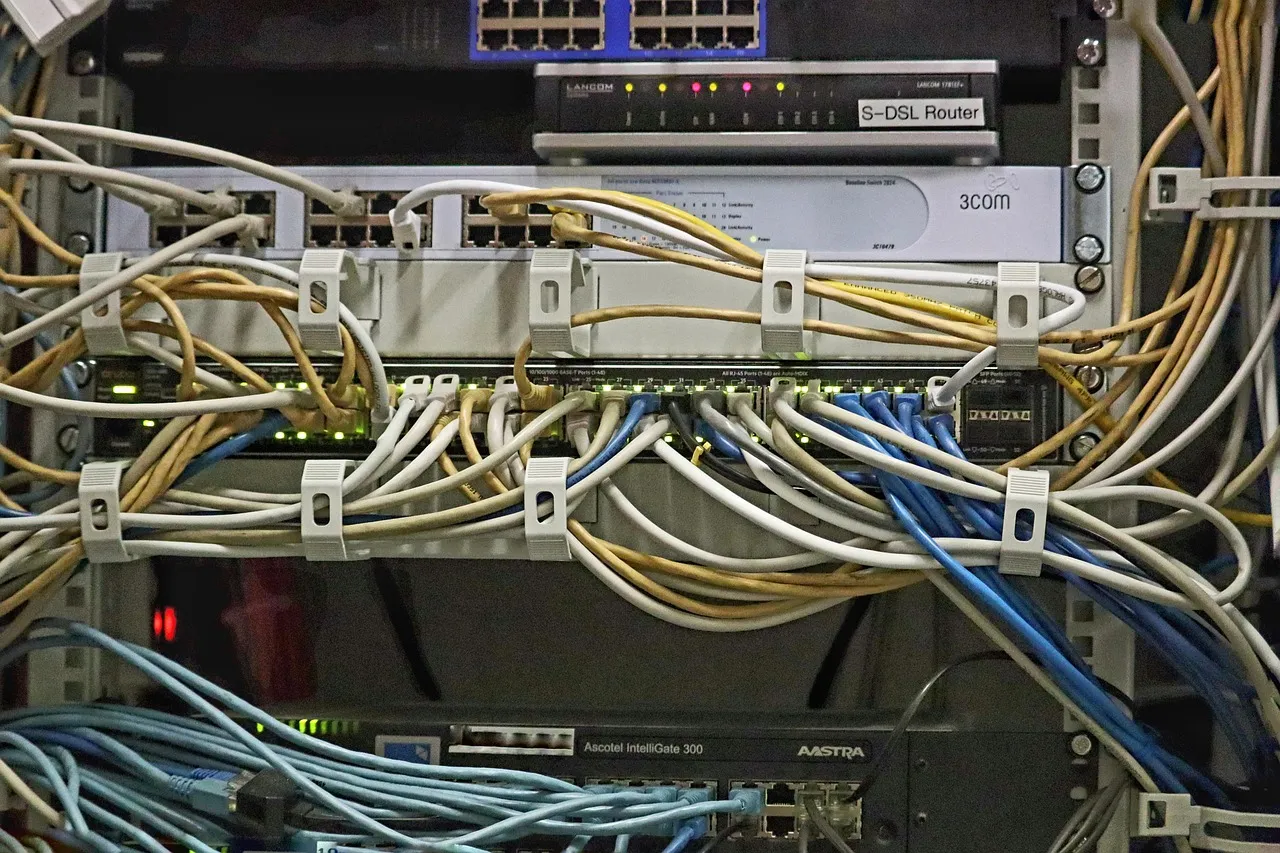
Choosing between a Virtual Private Server and cloud hosting is one of the most consequential infrastructure decisions a growing business or developer will make this year. The hosting landscape in 2026 has matured considerably, with both VPS and cloud providers offering feature sets that overlap in meaningful ways — yet the underlying architectural philosophies remain fundamentally different. At Hosting Captain, we have spent over a decade helping businesses navigate these choices, and the most common mistake we see is decision-makers fixating on surface-level specs while overlooking the long-term operational implications of each model. The right choice depends less on which technology is objectively superior and more on how your application consumes resources, what your growth trajectory looks like, and how much control you need over the underlying environment. This guide walks through every dimension that matters — from raw architecture and scalability to pricing predictability and migration complexity — so you can make a confident, data-informed decision rather than relying on marketing claims or outdated assumptions from five years ago. By the time you finish reading, you will understand not just what separates VPS from cloud hosting technically, but which scenarios genuinely favor one over the other in today's market.
A Virtual Private Server is, at its core, a slice of a physical server that has been partitioned into multiple isolated environments using a hypervisor — a software layer that virtualizes hardware resources. Each VPS runs its own complete operating system instance with dedicated allocations of CPU cores, RAM, and storage that are guaranteed not to be consumed by neighboring tenants on the same physical machine. This is what the industry calls single-tenant resource isolation within a multi-tenant physical host, and it is the defining characteristic that separates a VPS from both shared hosting and cloud platforms. When you provision a VPS with 4 vCPUs and 8 GB of RAM, those resources are reserved for your exclusive use — they are not part of a shared pool that fluctuates based on what other customers are doing. The trade-off, however, is that your environment is tied to a single physical server in a single data center, which means you inherit the failure domain of that specific piece of hardware. For a deeper technical primer on how virtualization works and what VPS hosting entails in practice, you can refer to our complete VPS hosting guide, which covers everything from hypervisor types to operating system template selection.
Cloud hosting abandons the single-server dependency model entirely in favor of a distributed architecture where compute, storage, and networking resources are abstracted across a cluster of interconnected physical machines. Rather than renting a fixed slice of one server, you are essentially consuming resources from a shared pool managed by a cloud orchestration layer — think platforms like AWS EC2, Google Compute Engine, or DigitalOcean's App Platform. This architectural choice means your application can theoretically survive the failure of any individual physical node because the orchestration system can migrate workloads, reroute traffic, and reprovision storage from healthy nodes elsewhere in the cluster. The trade-off is that individual resource guarantees become softer: you typically receive a certain amount of vCPU and memory, but the performance of those resources can be influenced by the noisy-neighbor effect unless you pay a premium for dedicated instances. Additionally, cloud storage is almost always network-attached rather than locally attached, which introduces latency characteristics that differ meaningfully from the direct-disk-access model of a traditional VPS when measured at scale. For those who want to understand where dedicated servers fit into this spectrum, our dedicated server guide for businesses explains the single-tenant physical alternative in detail.
One architectural distinction that often gets overlooked in VPS vs cloud hosting comparisons is the difference in control plane complexity. A VPS typically gives you root access to a single OS instance managed through a straightforward control panel — you install, configure, and maintain everything from the web server up, much like you would with a physical server. Cloud platforms, by contrast, introduce layers of proprietary services — load balancers, auto-scaling groups, object storage, managed databases — each with its own configuration syntax, IAM permissions model, and billing meter. This means the learning curve for cloud is not just steeper but also vendor-specific in ways that can create lock-in if you are not deliberate about using portable abstractions. For a solo developer or a small team without dedicated DevOps expertise, the operational simplicity of a managed VPS often translates directly into faster deployment cycles and fewer late-night incidents triggered by misconfigured cloud resources.
VPS hosting scales vertically, which means you upgrade your existing server to a larger plan with more CPU cores, additional RAM, and increased storage capacity — all within the same single-server boundary. The process is typically straightforward: your provider migrates your environment to a larger slice of the same physical hardware or moves you to a different physical node with more available resources, often with only a few minutes of downtime if the provider supports live migration. This model works exceptionally well for applications that are not designed to run across multiple nodes, such as monolithic web applications, single-instance databases, and legacy e-commerce platforms built on architectures that predate the microservices era. However, vertical scaling has a hard ceiling: no matter how much you pay, you are ultimately limited by the largest available physical server in your provider's fleet. In 2026, most mainstream VPS providers top out at around 64–128 vCPUs and 256–512 GB of RAM, which is sufficient for the vast majority of workloads but becomes a constraint if you are running compute-intensive data processing or serving a global user base with latency requirements that demand geographic distribution. Before committing to a VPS plan, it is worth understanding how renewal pricing can affect your long-term scaling budget — our VPS renewal pricing guide breaks down what to expect after introductory discounts expire.
Cloud hosting scales horizontally, meaning you handle increased demand by adding more instances — more virtual machines, more container replicas, more database read replicas — rather than making any single instance larger. This architectural pattern is what enables the elastic, pay-as-you-go scaling that cloud providers market so heavily: during a traffic spike, an auto-scaling group provisions additional compute nodes automatically; when traffic subsides, those nodes are terminated and you stop paying for them. The practical reality, however, is that horizontal scaling introduces a completely different set of engineering challenges that your application code and data layer must be designed to accommodate from the start. Session state must be externalized to a shared cache like Redis or Memcached rather than stored in local memory. File uploads must go to object storage like S3 rather than the instance's local filesystem. Your database layer must support replication and partitioning strategies that handle split-brain scenarios and eventual consistency gracefully. These are not insurmountable problems, but they represent a significant investment in application architecture that many smaller teams underestimate when they choose cloud hosting primarily for its scaling narrative.
Vertical scaling on a VPS follows a roughly linear cost curve — doubling your resources approximately doubles your monthly bill, and you can predict that relationship with reasonable accuracy. Horizontal scaling on cloud platforms, by contrast, often produces super-linear cost growth because each additional instance incurs not just compute charges but also data transfer fees, load balancer hourly charges, and increased storage I/O costs. What starts as a cost-effective cloud deployment at small scale can become surprisingly expensive at moderate scale if the application has not been optimized for cloud-native cost efficiency. This is a topic Hosting Captain's infrastructure team frequently advises on during migration planning sessions — the pricing model differences are substantial enough that they deserve their own detailed breakdown later in this guide.
Standard VPS hosting does not include high availability out of the box — your server lives on a single physical host, and if that host experiences a hardware failure, a network partition, or a power event, your VPS goes offline until the provider completes repairs or migrates you to new hardware. Many quality VPS providers in 2026 offer add-on high-availability features such as automated failover to a standby instance, off-site backups with rapid restore capabilities, and redundant network uplinks, but these are typically priced as optional extras rather than bundled into the base plan. The recovery time in a failure scenario depends heavily on the provider's operational maturity: top-tier hosts with enterprise-grade SLAs can often restore service within minutes, while budget providers might leave you waiting hours while they diagnose and replace failed components. This single-point-of-failure nature is not a flaw in the VPS model — it is simply the architectural reality of any hosting solution that ties you to one physical machine — but it does mean that if your application requires four-nines (99.99%) uptime or better, you will need to implement application-level redundancy yourself, potentially by running two VPS instances behind a load balancer with database replication between them.
Cloud platforms are architected from the ground up with the assumption that individual components will fail — hardware will break, network links will drop, entire availability zones will experience outages — and the platform's orchestration layer is designed to route around those failures automatically. When a physical host in a cloud cluster becomes unhealthy, the workloads running on it are rescheduled onto healthy nodes without manual intervention, often within seconds. Storage is typically replicated across multiple physical devices and often across multiple availability zones, providing durability guarantees that would be expensive and complex to replicate on a self-managed VPS setup. The trade-off is that this resilience introduces its own failure modes: configuration errors in auto-scaling rules can trigger cascading failures, improperly set IAM permissions can lock out critical services, and cloud provider control-plane outages — rare but not unheard of — can leave your infrastructure unreachable even though the underlying compute resources remain healthy. True high availability in the cloud still requires thoughtful architecture on your part; the platform provides powerful building blocks but does not automatically assemble them into a resilient system.
VPS hosting operates on a straightforward fixed-price model: you select a plan with specific resource allocations, and you pay the same amount every month regardless of how much of those resources you actually consume. This predictability is one of the strongest selling points for businesses that need to forecast hosting costs accurately for budgeting purposes and for those who run steady-state workloads where resource consumption does not fluctuate dramatically from day to day. Most VPS providers offer monthly and annual billing cycles, with annual commitments typically delivering a 10–20% discount relative to paying month-to-month. The catch — and it is a significant one that Hosting Captain has documented extensively — is that many providers advertise aggressively discounted introductory pricing that increases substantially upon renewal. We have seen cases where the first-year rate of $4.99 per month jumps to $19.99 per month at renewal, which can catch budget-conscious buyers off guard if they have not planned for it. Our VPS renewal pricing guide walks through exactly how to audit renewal terms before signing up so you are never surprised by a rate increase you did not anticipate.
Cloud hosting pricing is fundamentally usage-based: you are billed for the compute seconds your instances run, the gigabytes of data you transfer, the I/O operations your storage performs, and often dozens of smaller line items that collectively make cloud bills notoriously difficult to forecast. This model shines when your workloads are bursty or unpredictable — if you spin up 100 instances for a two-hour batch processing job and then terminate them, you pay only for those two hours of compute time rather than committing to 100 servers for a full month. The dark side of pay-as-you-go pricing is that costs can spiral unexpectedly when resources are not properly governed: a development instance left running over a weekend, a misconfigured auto-scaling rule that spawns instances during a traffic spike that never terminates them, or a database that accrues unexpected I/O charges from an unoptimized query pattern. Cloud providers have responded to this concern with cost management dashboards, budget alerts, and reserved-instance pricing that offers discounts of 40–60% in exchange for one- or three-year commitments — bringing cloud pricing closer to the predictability of VPS, but at the cost of the very flexibility that made cloud attractive in the first place.
When comparing VPS vs cloud hosting costs, the line items on your provider's invoice are only part of the story. Cloud platforms save you money on certain operational tasks — you never have to replace a failed hard drive or swap a bad power supply — but they introduce personnel costs in the form of the expertise required to manage cloud-native infrastructure safely and efficiently. A small business running a standard LAMP-stack website on a managed VPS might need zero dedicated DevOps hours per month. That same business moving to AWS might discover that they need a part-time cloud engineer just to keep their environment secure, optimized, and within budget. Conversely, a technology company that already has cloud engineering talent on staff might find that the operational efficiency gains of managed cloud services more than offset the higher raw compute costs. Hosting Captain recommends building a realistic total-cost-of-ownership model that accounts for both your hosting invoice and the labor hours required to maintain each environment before making a final decision.
In 2026, VPS CPU performance is remarkably strong for single-instance workloads, largely because the latest generation of server processors — AMD EPYC Genoa-X and Intel Xeon Sierra Forest — deliver core counts and clock speeds that were unthinkable just three years ago. A mid-range VPS plan with 4 dedicated vCPUs on a modern AMD EPYC host can sustain compute-intensive workloads like PHP application serving, database query processing, and medium-traffic web hosting without any meaningful resource contention from neighboring tenants. Cloud instances at comparable price points, however, often use burstable CPU models where you accumulate CPU credits during idle periods and consume them during activity spikes — a model that works beautifully for intermittent workloads like cron jobs or low-traffic staging environments but can introduce latency spikes under sustained load once credits are exhausted. Dedicated cloud instances that match the CPU guarantees of a VPS exist, but they typically cost 2–3x more than an equivalent VPS plan, narrowing the economic case for cloud in performance-sensitive single-instance scenarios.
Storage performance is one area where VPS hosting often holds a measurable advantage over entry-level cloud instances in 2026 benchmarks. A VPS with locally attached NVMe storage can deliver sequential read speeds exceeding 3,000 MB/s and random IOPS in the hundreds of thousands — figures that are achievable because the storage is directly connected to the physical host's PCIe bus with no network hop involved. Cloud instances, by default, use network-attached block storage (AWS EBS, Google Persistent Disk) that adds 1–3 milliseconds of latency per I/O operation compared to local NVMe. This gap is modest in absolute terms and imperceptible for most web applications, but it becomes significant for database workloads with high transaction rates, real-time analytics, and applications that perform frequent small random reads and writes. Cloud providers offer local SSD instance types and provisioned IOPS storage tiers that close this gap, but they come at a premium that can make the cloud option 30–50% more expensive than an NVMe-equipped VPS for I/O-bound workloads.
Cloud platforms hold a decisive advantage in network performance at scale, thanks to their investments in private global backbone networks, edge caching infrastructure (CDNs), and the ability to deploy instances in dozens of geographic regions worldwide. A VPS typically comes with a single network uplink from one data center — fast enough for most use cases, with 1–10 Gbps becoming standard in 2026 — but unable to match the multi-region latency optimization that cloud platforms make trivially accessible. If your user base is concentrated in one or two geographic regions, a well-chosen VPS data center location delivers excellent network performance. If you need to serve content to users in North America, Europe, Asia-Pacific, and South America simultaneously with low latency, the cloud's global infrastructure footprint becomes a compelling differentiator that VPS providers simply cannot replicate without layering third-party CDN services on top.
Applications that consume a relatively consistent amount of resources day after day — business SaaS platforms, membership websites, content management systems with stable traffic patterns, and internal business tools — are textbook candidates for VPS hosting. These workloads do not benefit from elastic scaling because their resource demands are predictable; you can right-size a VPS plan once and know exactly what your hosting will cost every month. The resource isolation guarantees of a VPS also mean that your application will not experience the performance variability that can plague burstable cloud instances when credit balances run low. For a business running an e-commerce platform on WooCommerce or a community forum on Discourse that serves a known audience size, the cost-to-performance ratio of a well-configured VPS is extremely difficult for cloud alternatives to beat.
Development and staging environments are another domain where VPS hosting excels, particularly for teams that need persistent, always-available environments that mirror production but do not require the operational complexity of a full cloud deployment. A VPS provides the full root-access environment developers need to test kernel modules, custom network configurations, and low-level system tweaks that sandboxed cloud container services restrict. The fixed monthly cost also eliminates the risk of a forgotten development instance accruing unexpected charges over a weekend or holiday break, which remains one of the most common cloud cost horror stories shared on engineering forums. For a more thorough grounding in how to set up and manage a VPS from scratch, Wikipedia's VPS article provides a solid technical overview of the underlying virtualization concepts that make all of this possible.
Certain software stacks require kernel-level access, custom firewall rules managed through iptables or nfstables directly, specific filesystem configurations, or low-level networking setups like WireGuard tunnels and custom routing tables that container-based cloud services abstract away or restrict. Video transcoding pipelines that leverage GPU passthrough, VoIP servers that need real-time kernel scheduling priority, and legacy enterprise applications that were built for bare-metal or virtualized environments all fit more naturally into a VPS than into a cloud-native containerized architecture. The VPS model gives you the same root-level control as a dedicated server without the full cost of dedicated hardware, making it the ideal middle ground for these use cases.
Applications that experience significant traffic variability — e-commerce sites that see 10x traffic during holiday sales periods, event ticketing platforms that spike during on-sale windows, tax preparation software that is heavily used for three months and nearly idle for nine — are where cloud hosting's elastic scaling justifies its pricing premium. The ability to automatically provision additional compute capacity during peak demand and release it when traffic normalizes means you pay for surge capacity only when you actually need it, rather than over-provisioning a VPS to handle a peak that occurs a few times per year. Auto-scaling configurations have become more sophisticated in 2026, with predictive scaling algorithms that can anticipate demand patterns based on historical data and begin provisioning resources before the traffic spike actually arrives, reducing the cold-start latency that used to be a common criticism of elastic scaling.
Applications built as collections of loosely coupled services communicating over APIs — the microservices pattern — align naturally with cloud hosting because each service can be deployed, scaled, and monitored independently using cloud-native orchestration tools like Kubernetes. Running a microservices architecture on a VPS is certainly possible, but it requires you to manage the container orchestration layer yourself and to work within the resource constraints of a single machine or a small cluster of manually managed VPS instances. Cloud platforms provide managed Kubernetes services, serverless function platforms, message queues, and API gateways as integrated services that dramatically reduce the operational burden of running distributed systems. If your architecture is already microservices-oriented or you are planning a greenfield project that will follow that pattern, the development velocity gains from cloud-native tooling often outweigh the higher per-unit compute costs.
Early-stage startups face a unique hosting challenge: they need infrastructure that can scale rapidly if their product gains traction, but they cannot afford to over-invest in capacity before product-market fit is validated. Cloud hosting addresses this by allowing startups to begin with minimal resources — sometimes even within the free tier — and scale up incrementally as user growth materializes. The operational flexibility to experiment with different infrastructure configurations without long-term commitments also supports the rapid iteration cycles that characterize early-stage product development. Once a startup's growth stabilizes and its resource consumption becomes predictable, a common pattern is to re-evaluate the hosting strategy and potentially migrate steady-state workloads to VPS or dedicated servers for cost optimization — a hybrid approach discussed in the next section.
An increasingly popular strategy in 2026 is to avoid the false dichotomy of VPS vs cloud hosting entirely and instead deploy a hybrid architecture that assigns each workload to the environment best suited to it. In a typical hybrid setup, the core production application — the web server, the primary database, the background job processor — runs on VPS instances where predictable pricing and dedicated resources deliver reliable baseline performance. At the same time, burstable or ephemeral workloads are offloaded to cloud services: static assets served through a cloud CDN, image processing handled by serverless functions, analytics workloads running on cloud data warehouses, and development or staging environments provisioned as short-lived cloud instances. This approach captures the cost predictability of VPS for the steady-state workload while retaining the elasticity of cloud for the variable components, and it avoids the all-or-nothing migration decisions that can paralyze infrastructure planning.
Implementing a hybrid architecture in 2026 is more practical than it was even two years ago, thanks to improvements in cross-environment networking and unified monitoring tools. A common pattern is to deploy the primary database on a high-resource VPS with NVMe storage for low-latency queries, while running stateless application servers in cloud auto-scaling groups that connect back to the VPS-hosted database over a secure tunnel or a private network interconnect. Another effective pattern is to use cloud object storage as the single source of truth for user-uploaded files, with both VPS and cloud application instances reading from and writing to the same storage bucket, ensuring consistency regardless of where the compute happens. Hosting Captain's infrastructure team has designed hybrid deployments for dozens of clients and has consistently found that the operational complexity of managing two environments is offset by the cost savings and architectural flexibility within the first 6–12 months of operation, provided the team has clear documentation and monitoring in place from day one.
Moving an existing application from a VPS to a cloud platform is rarely a simple lift-and-shift operation — it usually requires meaningful architectural adjustments to take advantage of cloud-native features and to avoid paying a premium for resources that are underutilized in a cloud context. The most common friction points include database migration: VPS-hosted databases typically run directly on the instance's filesystem with performance tuned for local NVMe, while cloud databases often require migration to managed services with different connection handling, backup scheduling, and latency profiles. File storage must be moved from the local filesystem to object storage, which requires code changes wherever the application reads or writes files. Environment variables, secrets, and configuration that lived in .env files or Apache virtual host configs on the VPS must be migrated to cloud-native secret management services. These are all solvable problems, but teams should budget 2–4 weeks of focused engineering effort for a migration of moderate complexity, not the weekend project that optimistic planning sometimes assumes.
The reverse migration — moving from cloud back to VPS or bare-metal hosting, often called cloud repatriation — has become a notable trend in 2025–2026 as engineering teams mature and begin optimizing for cost after the initial cloud-native growth phase. The primary challenges in this direction involve re-establishing operational practices that cloud managed services previously handled automatically: automated backups need to be configured with cron or systemd timers, monitoring and alerting must be set up with tools like Prometheus and Grafana rather than relying on CloudWatch or Stackdriver, and high availability becomes your responsibility to design rather than a platform feature you consume. The upside, when executed well, is often a 40–60% reduction in monthly hosting costs for steady-state workloads — a compelling enough figure that an entire ecosystem of tools and consultancies has emerged to support cloud-to-VPS migrations. For organizations considering this path, the complete VPS hosting guide provides a solid foundation for understanding what the VPS environment will look like once the migration is complete, and our VPS renewal pricing guide helps ensure that the cost savings you project during planning actually materialize over the long term.
Database migration deserves special attention in any VPS-to-cloud or cloud-to-VPS transition because it is typically the highest-risk component of the move. The migration approach depends heavily on your tolerance for downtime: a full-downtime migration involves taking the application offline, dumping the database, transferring the dump file, restoring it on the target environment, and bringing the application back online — straightforward but disruptive. A near-zero-downtime migration uses replication to keep the source and target databases in sync during a cutover window measured in seconds rather than hours, but it requires your database engine and version to support replication natively and adds significant procedural complexity. Hosting Captain recommends that any migration plan include a rollback procedure that has been tested in advance, because the worst time to discover that your backup restoration process has gaps is during a live migration that is not going according to plan.
This guide covers the practical decision points — pricing, performance, and when it makes sense for your situation — based on current 2026 data. The core takeaway is that neither option is universally superior; the best choice depends on your workload characteristics, your team's operational expertise, and your budget predictability requirements. Hosting Captain has helped hundreds of businesses navigate this decision, and the consistent pattern among successful outcomes is that they invested time up front to understand both the technical architecture and the long-term cost implications rather than defaulting to whichever option had the stronger marketing presence in their search results.
Pricing varies by provider and plan tier; see the cost breakdown section above for current ranges and what is actually included at each price point. As a general frame of reference, entry-level managed VPS plans in 2026 start around $5–15 per month for small websites and development environments, while production-grade plans suitable for business applications range from $30–150 per month depending on resource allocations. Cloud hosting costs are more variable — a small application might run for $15–50 per month on cloud infrastructure if it is well-architected and traffic is moderate, but costs can scale unpredictably with traffic growth and service sprawl if governance is not actively maintained. The critical distinction is not the starting price but the cost trajectory as your application grows; VPS costs scale linearly while cloud costs can scale super-linearly if not carefully managed.
Look closely at uptime guarantees, renewal pricing (not just the first-year discount), and how responsive support actually is — all covered in detail in this article. Additionally, beginners should assess whether their application can realistically run on a single server or whether it genuinely needs the distributed resilience that cloud platforms provide; many small-to-medium workloads that initially seem to require cloud infrastructure actually run perfectly well on a properly sized VPS. Finally, consider the operational skills available on your team: if you do not have anyone comfortable with Linux system administration, a fully managed VPS or a cloud platform with strong managed services might save you more in avoided incidents than an unmanaged option saves you in monthly hosting fees. Hosting Captain's support team can help you evaluate these factors against your specific requirements before you commit to a hosting path.

Emma Larsson is a lead systems developer and virtualization specialist with a decade of expertise in kernel configurations and hypervisor scaling.

Hosting Captain has been exceptional for my e-commerce store in Pune. The NVMe SSD speed is noticeable, and their support team responds within minutes. Highly recommended for any Indian business!
Switched from a US-based host to Hosting Captain and my website loads 3x faster for Indian visitors. The free SSL and cPanel are great, and the pricing is unbeatable. Very satisfied customer!
I've been using their VPS plan for 2 years now. 99.9% uptime is not just a claim — it's reality. My client projects run without interruption. The KVM virtualization gives me full control I need.
The support team helped me migrate my entire WordPress site at 2 AM without any downtime. This level of service is rare in Indian hosting. Worth every rupee!
As a startup, budget matters. Hosting Captain's Business plan covers everything we need — multiple websites, free SSL, daily backups — at a fraction of what international hosts charge.
Our high-traffic news portal needed a dedicated server. Hosting Captain's DS Business plan handles 100K+ daily visitors effortlessly. Their team provisioned everything within 4 hours!








From personal blogs to enterprise solutions, we've got you covered!

© 2026 Hosting Captain. All Rights Reserved by 'Apollo Hosting'.



