Arjun Mehta
Dedicated Server SpecialistArjun Mehta is a cloud infrastructure consultant specializing in bare-metal architectures, network routing, and high-traffic database clustering.

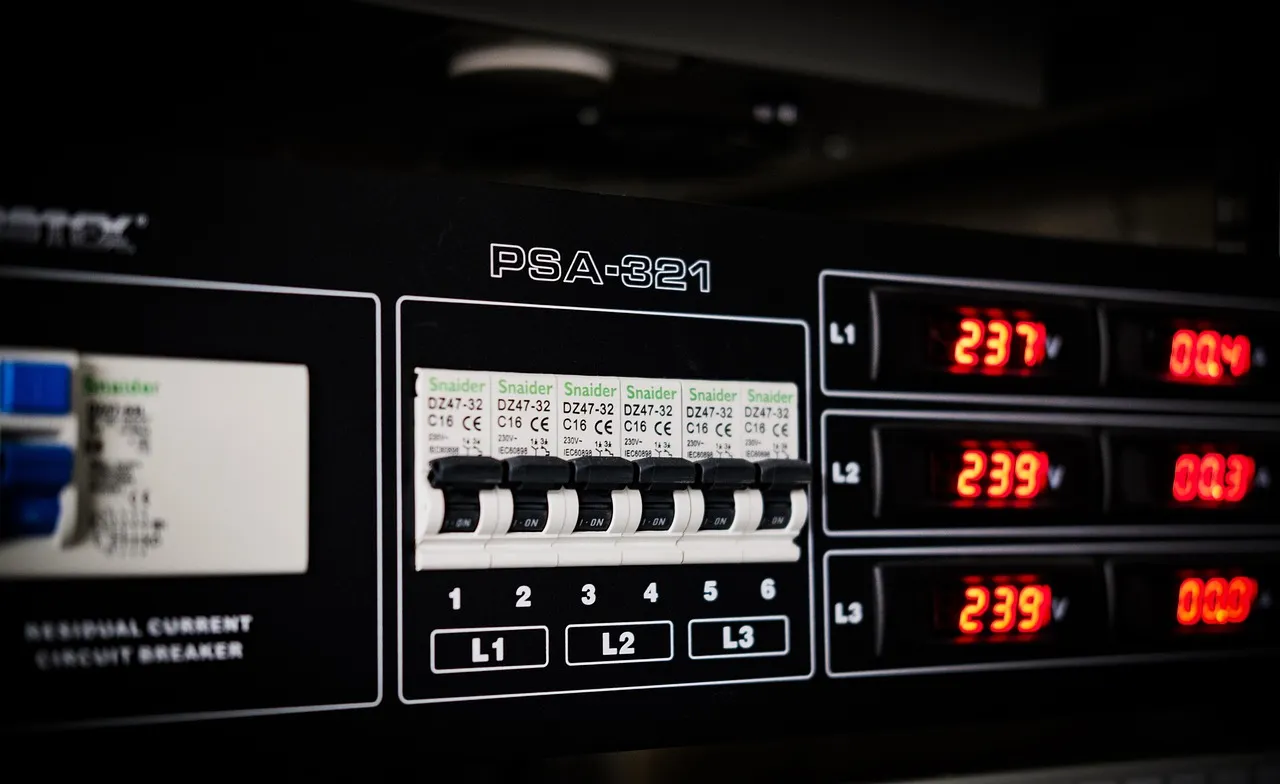
When you buy a dedicated server, you are not just paying for silicon and circuit boards. You are paying for the environment that keeps that hardware alive—precisely controlled temperature, humidity, power redundancy, and physical security. Yet most hosting buyers focus exclusively on CPU cores, RAM gigabytes, and storage type without ever asking how the server is cooled. That oversight can lead to premature hardware failure, unexplained performance throttling, and data loss events that no SLA can fully compensate for.
At HostingCaptain, we have toured facilities on three continents and benchmarked servers across a dozen data centers. This article distills what we have learned about dedicated server data center cooling and the infrastructure standards that separate a reliable hosting partner from a ticking clock.
Modern server CPUs, particularly high-core-count Xeon and EPYC processors, generate enormous amounts of heat under sustained load. A single 64-core EPYC processor can produce over 280 watts of thermal output at full utilization, and a 1U server chassis packed with two such processors, multiple NVMe drives, and high-speed networking cards can push past 600 watts. Without adequate cooling, the internal chassis temperature rises rapidly, triggering built-in thermal protection mechanisms that throttle CPU frequency—sometimes cutting performance by 40% or more before the server reaches its critical shutdown threshold of about 95°C.
Thermal throttling is not recorded in uptime metrics. A server that is throttled is technically online and serving requests, but its response times degrade in ways that frustrate users and hurt search engine rankings. We have seen cases where a server in a poorly cooled rack delivers the equivalent performance of a machine half its price, effectively nullifying the premium the client paid for enterprise hardware. The Cloudflare learning center notes that cloud providers invest heavily in cooling for this exact reason, and the same principle applies to dedicated infrastructure.
Data centers measure cooling capacity in kilowatts per rack. A standard cabinet rated for 5 kW can comfortably host around 15 mid-range dedicated servers. But if a client populates a rack with high-density GPU servers or all-NVMe storage nodes, the heat output can easily exceed 15 kW per rack, requiring specialized cooling solutions such as rear-door heat exchangers, in-row cooling units, or even direct liquid cooling. A hosting provider that does not enforce per-rack power caps risks thermal runaway, where one overloaded rack heats adjacent racks and degrades the entire row.
The ASHRAE TC 9.9 guidelines recommend inlet air temperatures between 18°C and 27°C for enterprise IT equipment, with a maximum dew point of 15°C. Data centers that operate at the higher end of that range save on cooling costs but push server fans to run faster, which increases mechanical wear and power consumption. At HostingCaptain, we consider a provider's published operating temperature ranges and cross-reference them with equipment manufacturer warranties—some server OEMs void warranties if the equipment has been operated outside the recommended envelope for extended periods, even if no hardware failure has occurred yet.
The cooling infrastructure of a data center is a layered system that begins with computer room air conditioning (CRAC) units and extends through multiple heat exchange stages before rejecting heat to the outside environment. Understanding these layers helps a buyer assess how resilient a facility is to cooling equipment failure.
Computer Room Air Conditioning (CRAC) units use refrigerant-based compressors to cool air directly, while Computer Room Air Handling (CRAH) units use chilled water coils and fans to circulate cooled air. CRAH units are more energy-efficient in large facilities because chilled water can be produced by centralized chillers or free-cooling systems that leverage outside air when ambient temperatures are low. A data center that relies exclusively on CRAC units for cooling is vulnerable to compressor failures, which can take hours to repair. Facilities with redundant CRAH loops can tolerate the failure of an entire chiller plant while maintaining safe operating temperatures.
The hot-aisle/cold-aisle configuration is the most widely adopted cooling layout in modern data centers. Server racks are arranged in alternating rows where front panels face each other (cold aisles) and rear panels face each other (hot aisles). Perforated floor tiles deliver cool air into the cold aisles, server fans draw that air across internal components, and the exhaust air exits into the hot aisles, where it is captured by ceiling return plenums and directed back to the cooling units. This prevents the mixing of hot and cold air, which is the primary source of cooling inefficiency. A data center without containment is essentially fighting itself—cooling air that it just heated—and will consume 30–50% more energy to maintain the same server inlet temperatures.
Direct-to-chip liquid cooling circulates a dielectric fluid through cold plates attached to CPU and GPU packages, extracting heat at the source rather than waiting for it to dissipate into the surrounding air. This technology is increasingly found in high-performance computing clusters and AI training racks. Immersion cooling, where entire server boards are submerged in a non-conductive fluid, is still rare in commercial hosting but is growing for specialized workloads. For the typical dedicated server customer, liquid cooling is not a buying criterion, but its presence in a facility signals that the provider is investing in infrastructure that can handle the next generation of high-TDP components.
Cooling cannot be discussed without power, because every watt of electricity consumed by a server becomes heat that the cooling system must remove. A data center with Tier III certification, as defined by the Uptime Institute, must have concurrently maintainable power and cooling paths, meaning any single component can be taken offline for maintenance without disrupting operations. This requires dual power feeds from separate substations or on-site generation, multiple UPS strings, and redundant power distribution units (PDUs) at the rack level.
Power Usage Effectiveness (PUE) is the ratio of total facility energy consumption to IT equipment energy consumption. A PUE of 1.0 would mean every watt entering the facility goes to computing equipment, with zero overhead for cooling and power distribution. In practice, a PUE of 1.2 is considered excellent and indicates that for every 100 watts consumed by servers, only 20 additional watts are consumed by cooling, lighting, and power conversion losses. When a hosting provider advertises a PUE of 1.2 or lower, it signals both cost efficiency and environmental responsibility. Our dedicated server guide includes further discussion of how infrastructure metrics translate into service quality.
A server cooled to perfect temperature is worthless if someone walks out the door with it. Data center physical security follows a layered model that begins at the perimeter fence and extends inward to the individual rack. ISO 27001, SOC 2 Type II, and PCI DSS are the most commonly cited compliance frameworks, and each imposes specific requirements for physical access control, video surveillance, and visitor management.
Biometric access controls such as fingerprint or iris scanners prevent credential sharing, which is a real risk in facilities that still rely on proximity cards. Mantrap portals ensure that only one person enters a secure area at a time, eliminating tailgating. All access events should be logged in a SIEM system that correlates physical access with logical access attempts, so that a badge-in event at 3 AM in a cage containing financial data servers triggers immediate review. Video surveillance with at least 90 days of retention and motion-detection alerts is standard; we consider anything less a red flag.
A cool, secure server is useless without network connectivity. Carrier-neutral data centers allow customers to choose among multiple network providers rather than being locked into the facility operator's blend of transit and peering. This competition drives down bandwidth costs and provides failover options—if one upstream provider experiences a DDoS attack or a fiber cut, traffic can be rerouted through another provider without changing the physical server connection.
Meet-me rooms (MMRs) are the physical spaces where carriers cross-connect, and a well-designed MMR provides diverse fiber entry paths so that a backhoe in one street does not sever all connectivity. For dedicated server customers running latency-sensitive applications such as financial trading platforms or real-time multiplayer games, the proximity of the data center to major internet exchange points (IXPs) is a key differentiator. A server in a facility directly peered with a major IXP will experience 5–15 milliseconds less latency to local users compared to a server that must backhaul traffic through a distant transit hub. We explore latency considerations further in our cloud vs VPS comparison.
Every hosting provider claims to have "enterprise-grade" cooling and "military-grade" security. At HostingCaptain, we recommend that buyers verify these claims by requesting specific documentation rather than accepting marketing language at face value. A provider that is genuinely proud of its infrastructure will share the following without hesitation:
A provider that deflects or refuses to share these details is likely operating a facility that would not withstand scrutiny. The hosting industry has a long tail of small providers running servers out of converted office spaces with residential-grade air conditioning and a single internet connection, and the only way to distinguish them from legitimate competitors is to ask pointed questions. For businesses operating in India, our guide to dedicated hosting in Mumbai covers regional data center considerations.
Data centers consumed approximately 1–1.3% of global electricity in 2025, and dedicated servers, being always-on, contribute disproportionately to that figure compared to virtualized infrastructure where workloads are consolidated onto fewer physical machines. Hyperscale cloud providers have committed to net-zero carbon targets, often by purchasing power purchase agreements (PPAs) for renewable energy and investing in on-site generation. Dedicated hosting providers are increasingly following suit, and a data center powered by 100% renewable energy or offset by verified carbon credits should be considered a baseline requirement rather than a differentiator.
Free cooling—using outside air instead of mechanical chillers when ambient conditions permit—can reduce cooling energy consumption by 50–80% in favorable climates. Nordic data centers have pioneered this approach, and it is now spreading to temperate regions as server inlet temperature tolerances widen. A provider that has invested in free-cooling infrastructure signals long-term thinking about operational costs, which is a positive indicator for a buyer who intends to keep a server for three to five years. Our perspective on the long-term hosting trajectory is informed by research on AI hosting trends, which will further increase data center power density and cooling requirements.
Server inlet air temperature should be between 18°C and 27°C, per ASHRAE TC 9.9 guidelines. CPU package temperatures under load typically range from 50°C to 80°C and thermal throttling begins near 90–95°C. Sustained operation above 85°C may reduce component lifespan even if throttling does not occur.
It is a data center layout where server racks are arranged in alternating rows with fronts facing each other (cold aisles) and backs facing each other (hot aisles). Physical barriers prevent air mixing, which improves cooling efficiency by 30–50% compared to uncontained layouts.
N+1 means the data center has one more cooling unit than the minimum required to maintain safe temperatures. If the facility needs four CRAC units under peak load, an N+1 design includes five, so one can fail or be taken offline for maintenance without impacting cooling capacity. 2N redundancy doubles that to provide full fault tolerance.
Request the facility's SOC 2 Type II report, which includes physical and environmental controls testing. Ask for trailing 12-month PUE data and temperature log data from the row where your server would be installed. A provider that cannot provide these documents is not operating a facility you should trust with production workloads.
Not currently. Liquid cooling is mainly relevant for high-density GPU servers and HPC clusters. For a standard 1U or 2U dedicated server, well-managed air cooling with containment is sufficient and proven.
A minimum of N+1 UPS redundancy with on-site generator backup is table stakes. For critical production workloads, demand dual power feeds to the rack and A+B power supplies in the server itself, so that a single PDU or circuit failure does not take the server offline.
Infrastructure is the invisible foundation of hosting. A server that looks identical on a spec sheet—same CPU, same RAM, same storage—will perform dramatically differently depending on whether it sits in a facility with hot-aisle containment and concurrent maintainability or in a repurposed office with a single split-unit air conditioner. At HostingCaptain, we insist that buyers look past the spec sheet and ask the infrastructure questions that separate professional hosting from amateur hour. Because when the cooling fails at 2 AM on a holiday weekend, no amount of CPU cores will keep your site online.

Arjun Mehta is a cloud infrastructure consultant specializing in bare-metal architectures, network routing, and high-traffic database clustering.

Hosting Captain has been exceptional for my e-commerce store in Pune. The NVMe SSD speed is noticeable, and their support team responds within minutes. Highly recommended for any Indian business!
Switched from a US-based host to Hosting Captain and my website loads 3x faster for Indian visitors. The free SSL and cPanel are great, and the pricing is unbeatable. Very satisfied customer!
I've been using their VPS plan for 2 years now. 99.9% uptime is not just a claim — it's reality. My client projects run without interruption. The KVM virtualization gives me full control I need.
The support team helped me migrate my entire WordPress site at 2 AM without any downtime. This level of service is rare in Indian hosting. Worth every rupee!
As a startup, budget matters. Hosting Captain's Business plan covers everything we need — multiple websites, free SSL, daily backups — at a fraction of what international hosts charge.
Our high-traffic news portal needed a dedicated server. Hosting Captain's DS Business plan handles 100K+ daily visitors effortlessly. Their team provisioned everything within 4 hours!








From personal blogs to enterprise solutions, we've got you covered!

© 2026 Hosting Captain. All Rights Reserved by 'Apollo Hosting'.



